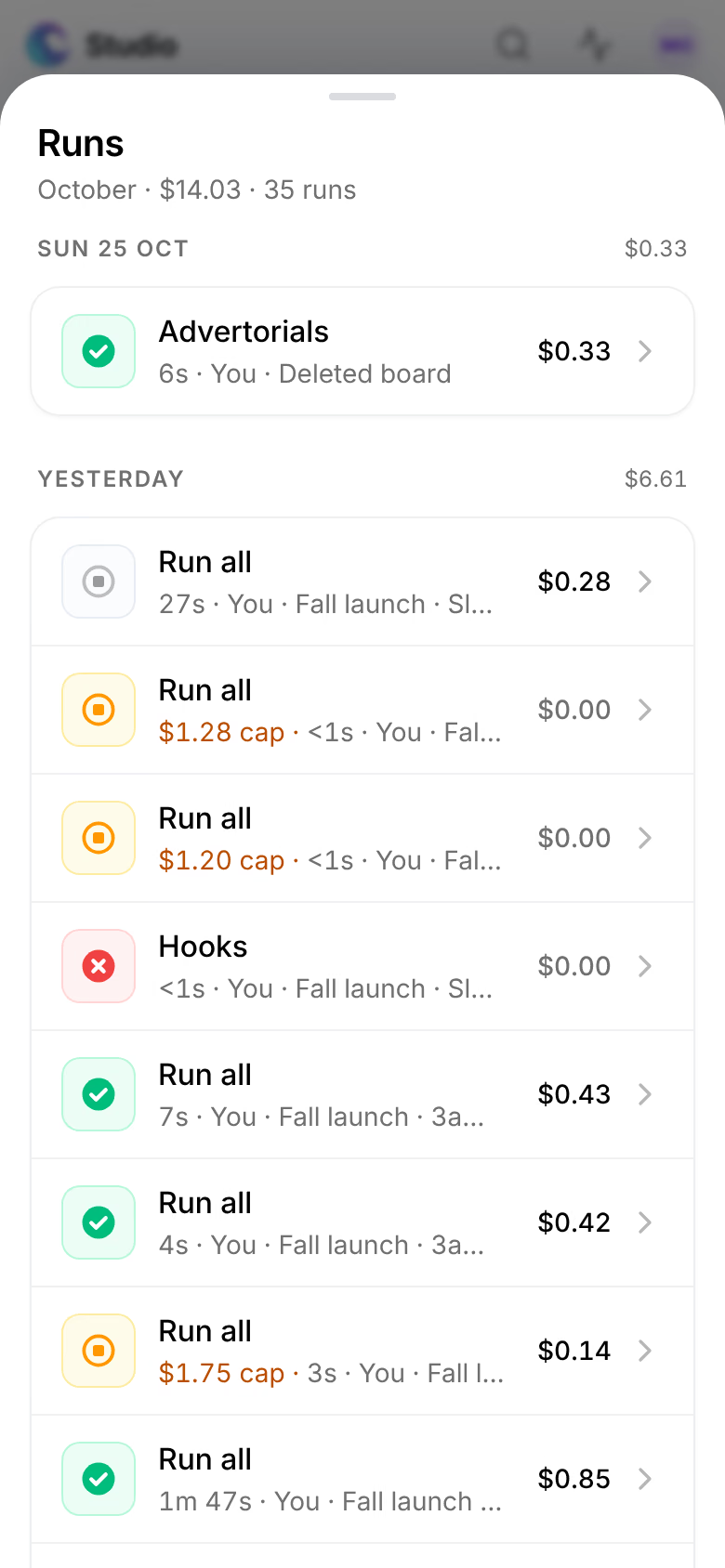
Runs
The Runs view lists every run of your store with what it made, what it cost, how long it took and who started it, and opens any run in full.
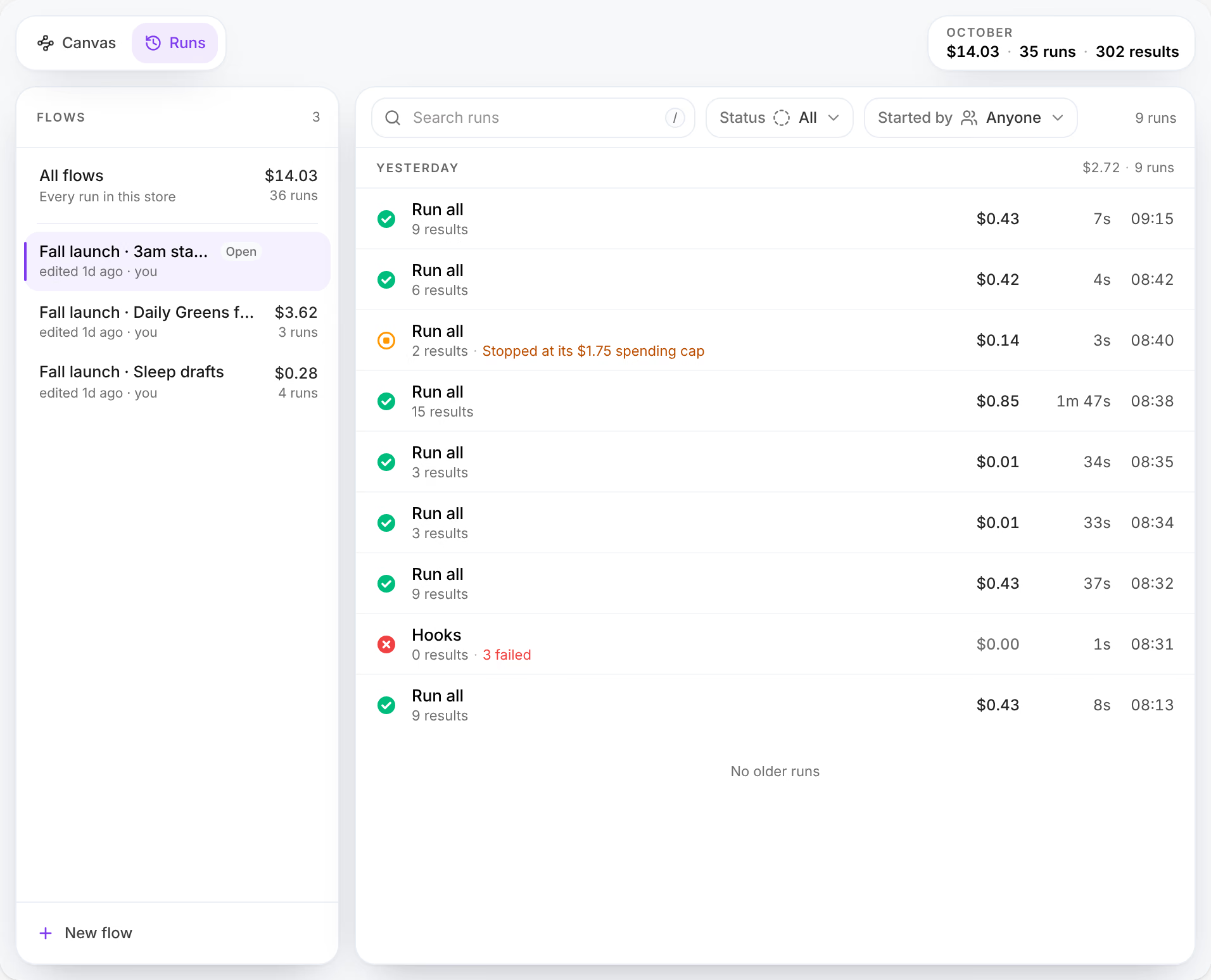
Every run started in Studio is kept here, whoever started it and from whatever device. Open it with Runs, beside Canvas at the top left of Studio, or press ShiftR; on a phone, tap the board's name, then Runs under History.
What you can do here
- Run a board and control its costRun one card, a card and what follows, a selection or the whole board; read what it should cost and set the most it may spend; then stop, finish or retry it.
- The item panelEvery Library item opens in the same panel, which says what the item is, how it performs, what you can do with it, how it was made and what it is made of.
The month at a glance
The figures at the top right are the store's month so far: what its runs cost, how many there were, and how many results they made, as in October, $14.03 · 35 runs · 302 results.
Flows
The list on the left holds All flows, with what every run of the store cost, then each board with its own cost and number of runs, and when it was last edited and by whom. The board open on the canvas reads Open. Press a board to see its runs alone; its menu, at the end of its row, holds Open on canvas, Rename, Duplicate and Delete…. New flow, at the foot, opens an empty board.
The list
Runs are grouped by day, newest first, each day with what its runs cost.

A row gives the run's status, its name, which says what was run (Run all, or a card's name for a run of one card), the board, how many results it made and how many failed, a tile for each kind it made, its cost, how long it took and when it started, and who started it.
| Status | It means |
|---|---|
| Queued, Running | Waiting for its turn, or making results now. |
| Stopping… | Stop was pressed: what had started is finishing. |
| Completed | Every result was made. |
| Partial | Some results were made, others failed or were stopped. |
| Failed | Nothing was made. |
| Stopped | Stopped before it finished. |
| Stopped at its $1.75 spending cap, or $1.75 cap beside the name, with your cap | The run stopped at its spending cap. |
Search runs, or /, finds runs by their name, their board or their ID. Status narrows the list to Running, Completed, Partial, Failed or Stopped, and Started by to one person. Up and Down move through the list.
A run in full
Press a run to open it beside the list.
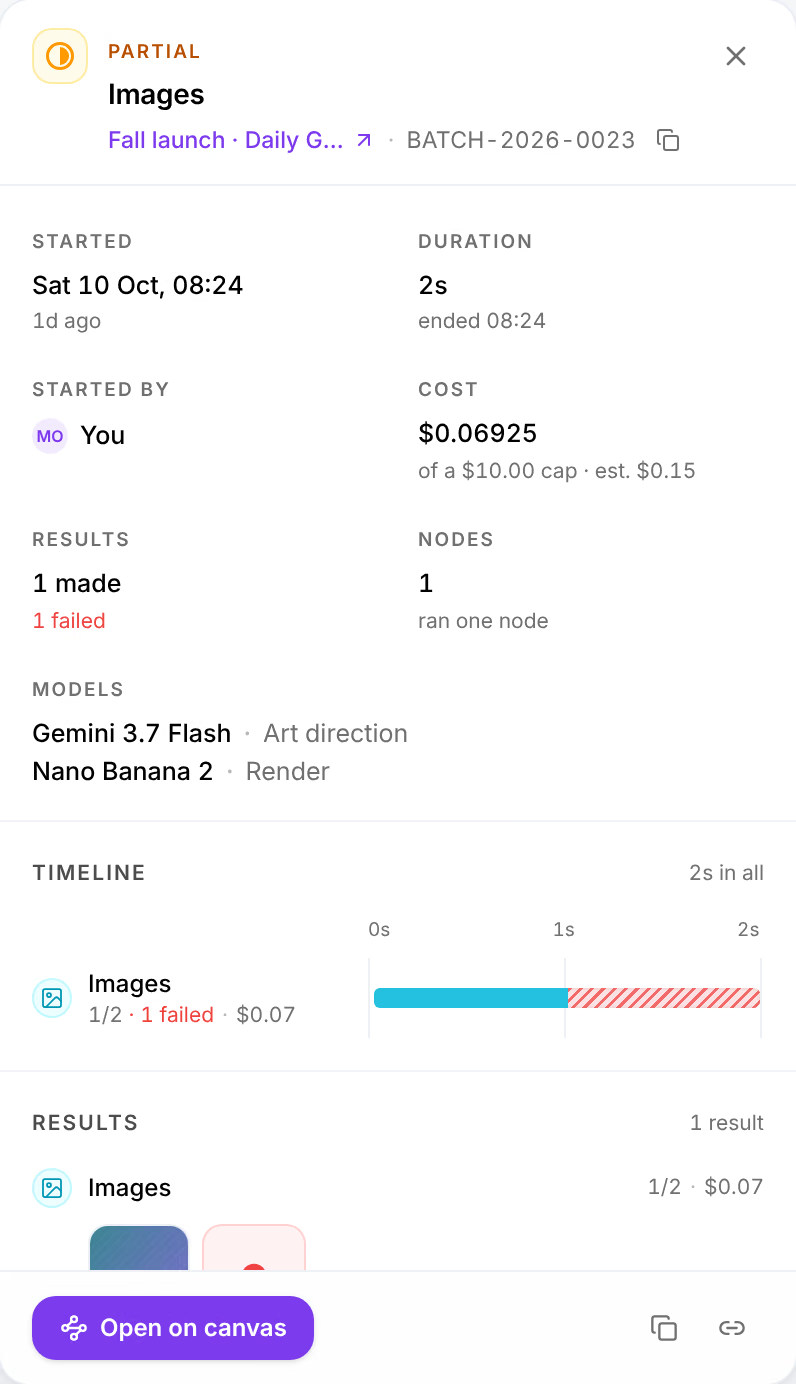
| Name | What it does |
|---|---|
| Status, name and board | Its status, its name, and its board, which opens on the canvas. The code beside it, such as BATCH-2026-0023, is the run's ID, to copy for support. |
| Started, Duration, Started by | When it started, how long it ran and when it ended, and who started it. |
| Cost | What your providers billed for it so far, to the fraction of a cent, out of its cap, and what it was estimated at. |
| Results, Nodes | How many results were made, failed, stopped or are still to go; how many cards ran, and what was run: one node, a node and what follows, a selection or the whole board. |
| Models | The model each stage ran on. |
| Timeline | When each card ran, and for how long, with what failed marked in red. |
| Results | What each card made, and why each failed result failed. Press a result to open it in the Library. |
At its foot, Open on canvas opens the board on the run's cards; Stop stops a run still going. The last two buttons copy the run's ID and a link to it.
Runs from before the canvas
Runs made before Studio became a board read Before the canvas. They have no board to open, and their cost is what was recorded for the whole run.
On a phone
The Runs view opens as a sheet over the board, with the same list, filters and runs in full.