
Pairing
How the Launcher matches each creative with the pages that carry its story, what each verdict means, and how to pair or unpair a page yourself.
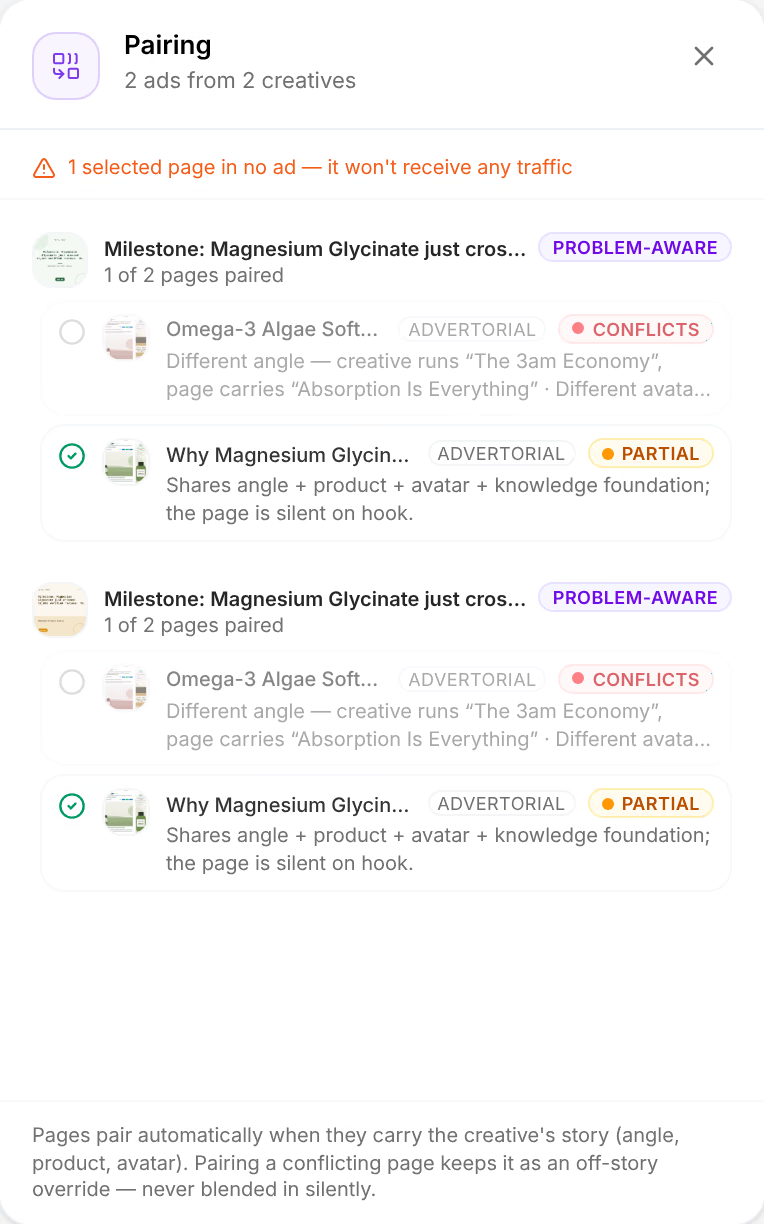
An ad sends a buyer from a creative to a page, and it sells best when the page goes on telling the story the creative started. So the Launcher does not make an ad of every creative and every page you picked: it pairs each creative with the pages that carry its story, and leaves out the ones that tell another. It judges every pair twice, by what the two say and by where the buyer is when they land.
In short
- A page is left out only when it contradicts the creative: a different angle, product or avatar.
- A page that is silent on part of the story still pairs. Its verdict says what it leaves out.
- Where the buyer stands, from the creative's angle, never leaves a pair out. It warns when a page asks too much of a cold buyer, or makes a ready one wait.
What the two say
The Launcher reads the pieces each creative and page were made from: the angle, the product, the avatar, the hook, and the research behind them, the knowledge foundation. Along each one the creative runs on, the page does one of three things:
- It carries it: the two share the same value, and that part of the story goes on.
- It is silent on it: the page has no value of its own there, which is a weaker match but no contradiction.
- It conflicts on it: the page has a value of its own and shares none of the creative's. On the angle, the product or the avatar, that leaves the pair out; a different hook or knowledge foundation never does.
A creative made from nothing the Launcher can read pairs with any page.
Where the buyer stands
A creative's angle is written for buyers at one stage of awareness: Unaware, Problem-aware, Solution-aware, Product-aware or Most-aware. A page does one of three jobs:
| Page | Its job |
|---|---|
| Advertorial, listicle | Builds belief before the offer |
| Sales page | Opens on the problem and carries its own bridge to the offer |
| Landing page, product page | Puts the offer first |
A pair warns, without leaving anything out, when an unaware or problem-aware buyer lands straight on a landing or product page (Needs bridge), or when a most-aware buyer is sent through an advertorial or a listicle first (Detour).
The verdicts
Each pair gets one verdict, the worst that applies, with a sentence that says why:
| Verdict | What it means |
|---|---|
| On story | The page carries every part of the story the creative runs on. |
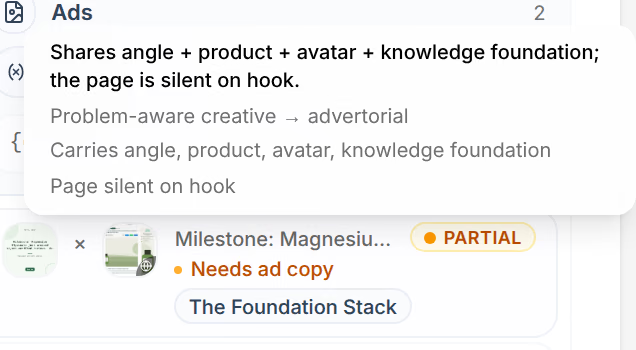
| Partial | The page shares some of the story and is silent on the rest, as in “Shares angle + product + avatar + knowledge foundation; the page is silent on hook.” |
| Open | Nothing shared, nothing contradicting: the page is silent on the whole story, or the creative carries none. |
| Needs bridge | A cold buyer lands straight on the offer. Bridge it with an advertorial or listicle first. |
| Detour | A ready buyer is sent through a page that adds a step in front of the offer. |
| Off story | The page tells a different story, and you paired it yourself. |
In the Structure step's Ads column, each ad shows its verdict: a dot when the pair is sound, the word when it is worth a look. Rest the pointer on it for the whole story: the creative's stage and the kind of page, what the page carries, and what it is silent on.
Review the pairing
On the Structure step, press Pairing in the toolbar. When there is something to look at, the toolbar says what in its place, as in 1 page unused, followed by Review.
Pairing lists each creative with its stage, how many of your pages it is paired with, and each page with its verdict and reason. A page left out reads Conflicts, with the story it tells instead. Above the list, the Launcher says what the pairing costs you:
| What it says | What it means |
|---|---|
| 1 creative with no page — no ads will run for it | No page you picked carries its story. Pick another page, or pair one yourself. |
| 1 selected page in no ad — it won't receive any traffic | No creative you picked tells its story. |
| 2 pairs kept off-story by override | Pages you paired by hand against their story. |
| 2 pairs send cold traffic straight to the offer | Needs bridge pairs. |
| 2 pairs detour ready-to-buy traffic through a pre-sell | Detour pairs. |
Pair or unpair a page yourself
The button at the start of each page's row pairs it or unpairs it: Pair this page anyway keeps a page the Launcher left out, as Off story, and Unpair this page takes a paired one out. The plan changes at once, and Auto, beside the creative, goes back to the Launcher's own pairing.
A page you pair against its story is never blended in silently: its ads read Off story, and the toolbar counts them, as in 2 off-story.
No compatible pairings
When every page you picked tells another story than every creative, no ad is planned, and the Structure step says so in place of the plan.
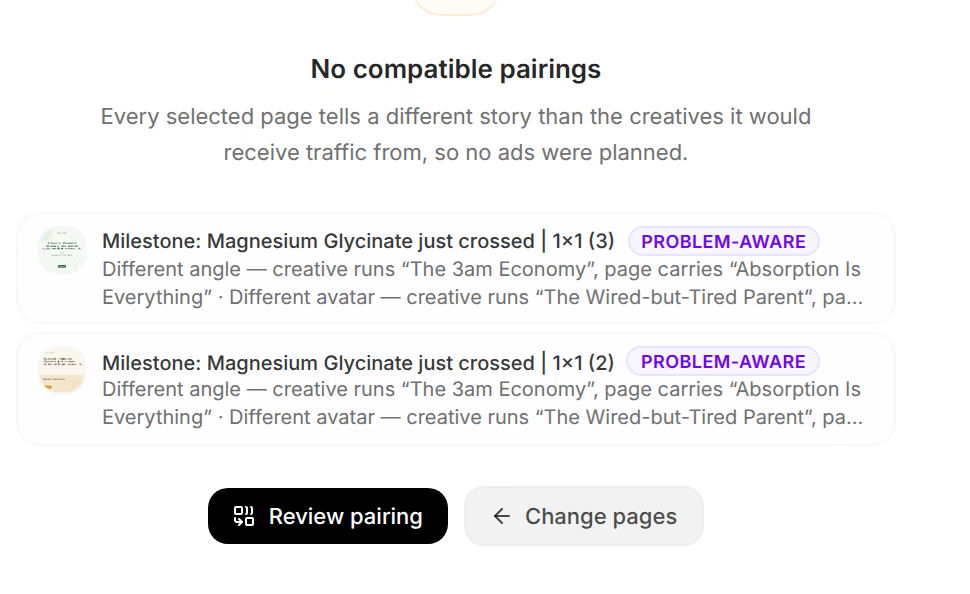
Change pages takes you back to the Pages step to pick others; Review pairing opens Pairing, where you can pair a page anyway.
Related
- How the Launcher worksThe Launcher turns creatives and their pages into a Meta campaign in four steps, and records what each ad was made from so its results can be credited.
- Split a launch and name itDecide where each kind of piece splits your launch, into campaigns, ad sets or ads, name every level from its pieces, and add your own URL parameters.
- PagesPages follows your store's visits from arrival to purchase: in total, by channel, by page template and by the page they entered on.