
Data and privacy
Export a store’s library as one ZIP, delete your account, close a workspace, and what Omnymous keeps and for how long.

Data & account, at the foot of Account in your account menu, takes your work out of Omnymous and deletes your account.
Export your library
Export… packs one store’s Library into a single ZIP that opens anywhere:
| Name | What it does |
|---|---|
| Documents | Avatars, angles, hooks, copy and reports, as Markdown. |
| Files | Every upload and creative, byte for byte. |
| Links | Each document links to what it was built from. |
| Data | The whole item graph as JSON, for any tool. |
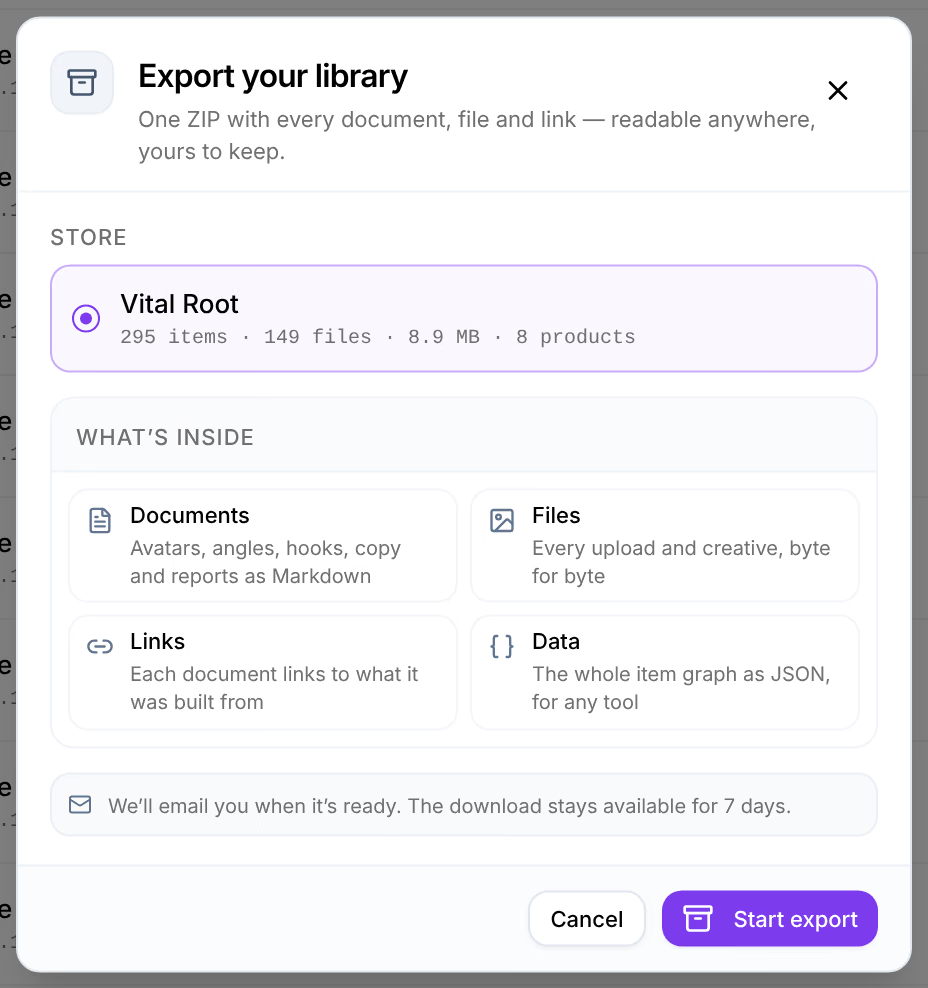
Choose the Store and press Start export. Exporting and the store’s name, we’ll email you when it’s ready, appears in the corner. The export is listed under Data & account while it packs, as Queued, then Packing with how far it got; you can leave the page meanwhile. When it reads Ready, download it there or from the email. A finished ZIP can be downloaded for 7 days, then reads Expired.
A store has one export at a time. Anyone in the workspace can export, even while the workspace is locked.
Delete your account
Delete, under Delete account, deletes your account at once, and every sign-in to it. It cannot be undone. The window says what else goes with it:
- a workspace you are the last owner of is deleted with its stores and data, its subscription is cancelled the same day and the days left on it are not refunded, and its members lose access and are told;
- a workspace with another owner stays with its members, and you leave it.

To go on, tick the box that says you have exported what you need, type DELETE, and press Delete account. Export first: the window does not do it for you.
Close a workspace
An owner can delete a workspace without deleting their account: under Workspace, Delete workspace asks for its name, then deletes it with its stores and data. Its subscription is cancelled the same day and the days left on it are not refunded, and its members lose access and are told by email. A workspace is also deleted when its last owner deletes their account, as above. To stop paying and keep your data for a while instead, cancel the subscription: the workspace stays open until the period ends, is then frozen, and its data is deleted 30 days later. See Cancel your subscription.
What Omnymous keeps
- Your stores’ data: products, orders and customers synced from Shopify, your ad platforms’ spend and results, and what your pixel recorded. Disconnecting a store deletes its data: see Disconnect a store.
- Your Library and generated work, for as long as the store is connected.
- Keys: provider keys are stored encrypted. Of an agent key, Omnymous keeps only a hash, which is why it shows the key once.
- After a workspace ends: whether it was cancelled or its payment failed, its data is kept 30 days after it is frozen, then permanently deleted. Until then an owner can reactivate it, and anyone in it can export.
How the pixel treats your shoppers’ consent is under Consent. The privacy policy covers the rest.
Related
- Profile and securityYour own settings under Account: photo and name, the email you sign in with, your password, and the devices signed in to your account.
- BillingThe plan and what it costs, the billing cycle, the card Stripe charges, extra stores, cancelling, and what happens when a payment fails.