
Turn customer reviews into research
Bring your customers' own words into the Library, turn them into market research, then into the avatars and angles your ads are written from.
You will end with research grounded in what your buyers actually say, a set of customer avatars distilled from it, and angles written for each avatar: the pieces every hook, image and page after them is built on, all in your Library and linked to each other.
When to use it
When you start on a product, when your avatars were written from guesses, or when a batch of new reviews comes in. You need your AI keys and the role of owner, admin or member. A run of research takes a few minutes per report.
The route
Bring the reviews in
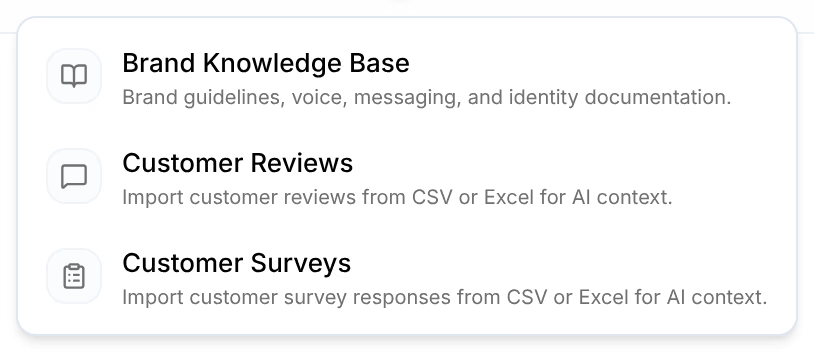
Open Library, then Knowledge, then Brand. Press Add and choose Customer Reviews to import your reviews from a CSV or Excel export, such as one from your review app.
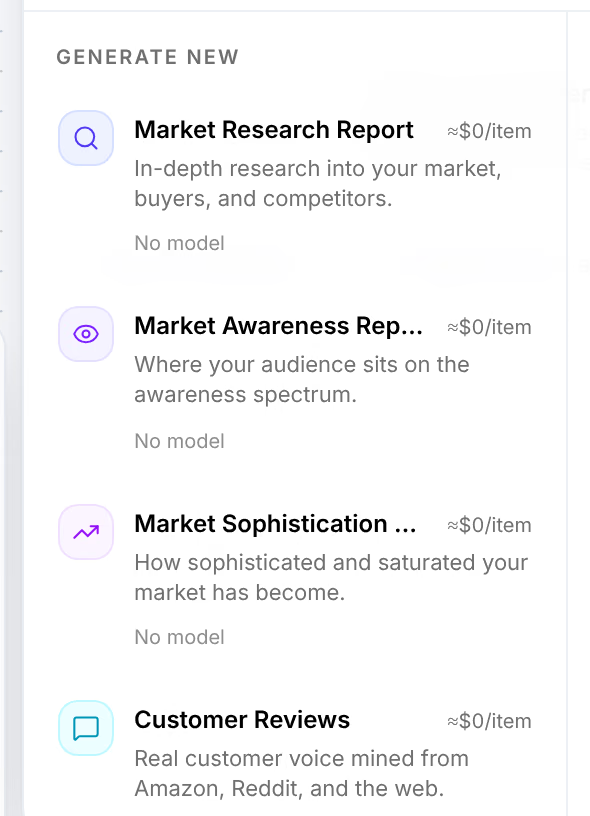
No export to hand? Studio can find them: its Customer Reviews card mines real customer voice from Amazon, Reddit and the web, for one product per run.
Research the market
Open Generation, then Studio. Open Add at the bottom left and choose Research. Under Generate new, choose Market Research Report, and wire your product into it. The Market Awareness Report and Market Sophistication Report say where your buyers stand, and how worn your market's claims are.
Distill the avatars
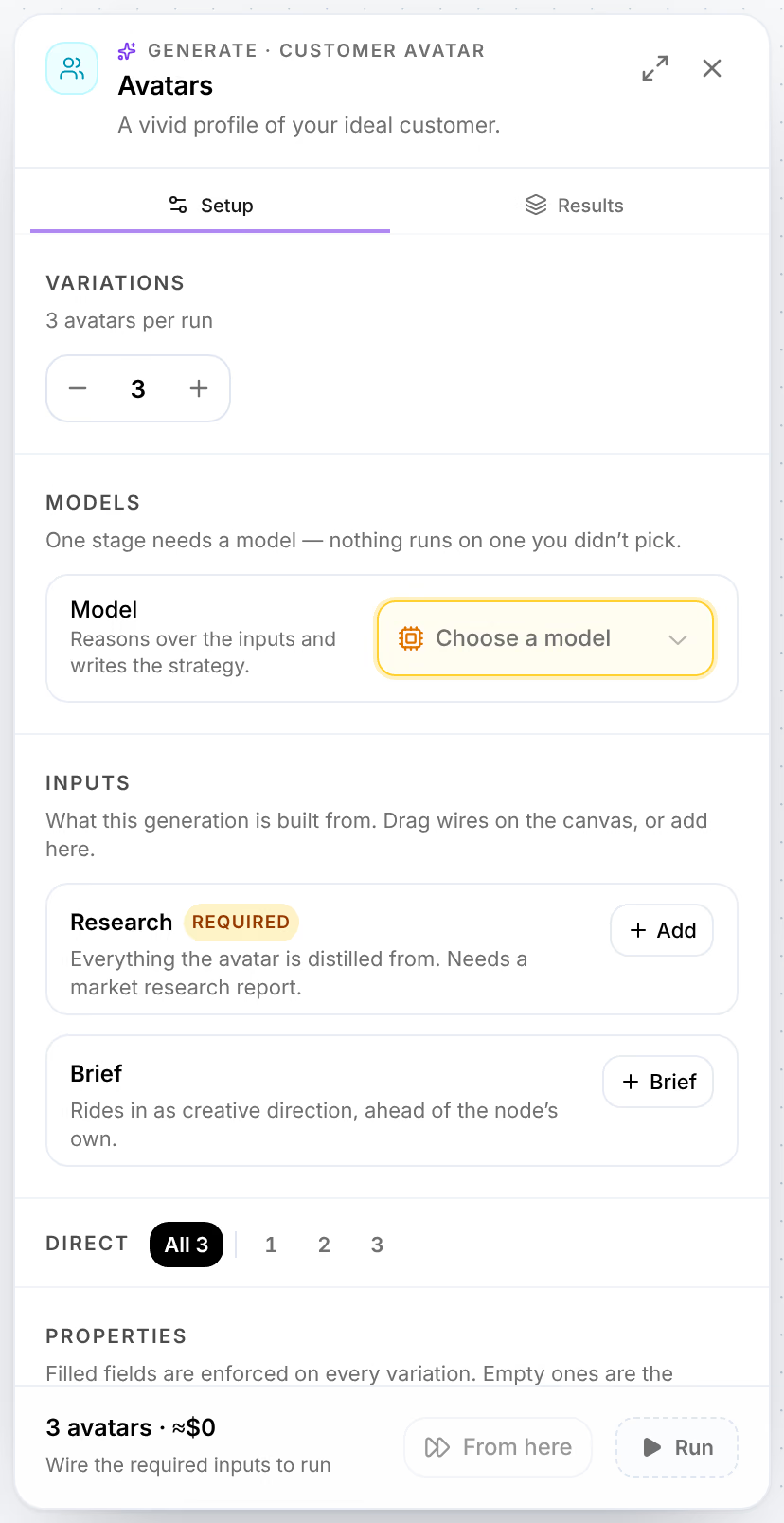
From Add, choose Avatar, then Customer Avatar under Generate new. Under Inputs, add to Research the market research report and your customer reviews: everything the avatar is distilled from. It needs a market research report. A run writes 3 avatars, unless you change Variations.
Write the angles
From Add, choose Angle, and wire the avatars into it: angles are written for an avatar, one set per avatar.
Choose the models and run
Open each card and choose its model: nothing runs on a model you did not pick. Press Run all, and check what it will cost on your keys before it starts.
Read the result
The research and the reviews are in Library, under Knowledge. The avatars and the angles are under Variables, on their tabs. Open one: its Composition shows the research it came from, and every creative made from it later carries the same chain, so its results in the Attribution Lab lead back to the reviews.
Read the avatars before you build on them. An avatar that does not sound like your buyers is a sign the reviews were too few or too mixed: import more, or one product at a time.
Variations
- Surveys. Customer Surveys, beside Customer Reviews under Add, takes your survey answers the same way.
- Straight to hooks. Wire the angles into a Hooks card and on into Images, as From product to live ad does.
- Your competitors' buyers. The avatars your competitors speak to are in Briefs: import one beside your own.
Related
- How Omnymous worksOmnymous builds your ads from reusable pieces, launches them, and credits every order back to the pieces that earned it.
- Generate your first contentStart a Studio board from a ready-made flow, give it an angle and models, run it, and find what it made in the Library.