
How Omnymous works
Omnymous builds your ads from reusable pieces, launches them, and credits every order back to the pieces that earned it.
Four parts in a ring, read clockwise from the top left. The Library holds the pieces your ads are made of. Studio builds new creatives from them. The Launcher puts the ads live on Meta, with each ad’s pieces on record. Analytics credits each order back to those pieces, which leads back to the Library.
An ad platform tells you which ad sold. Omnymous also tells you which avatar, angle, hook and offer inside the ad sold, because it knows what every ad was made of.
In short
- Your marketing is kept as pieces in the Library: products, avatars, angles, hooks, offers and pages.
- Every creative remembers the pieces it was built from, and the pieces those were built from in turn.
- When an order comes in, the credit goes to the ad and on to its pieces, and each piece shows what it earned.
The loop
Library
The Library holds what your marketing is made of. Products is your Shopify catalogue. Knowledge is research and what you know about your brand. Variables are the reusable pieces: avatars, angles, ad copy, actors, page copy and offers. Assets are the finished ad creatives and pages.
Studio
Studio is a canvas. You place Library pieces on it and wire them into cards that make something new, from research and angles to copy, images, videos and pages. What a card makes lands in the Library, with the pieces it was made from attached.
Launcher
The Launcher pairs creatives with pages, splits them into a Meta campaign, and launches it. Every ad it creates keeps a record of its creative, its page and their pieces.
Analytics
Analytics joins three sources: your Shopify orders, the visits the Omnymous pixel records on your store, and what your ad platforms report. It credits each order to the ads that brought the buyer, and each ad’s credit to its pieces.
Ads you ran before Omnymous count too. Omnymous reads them and matches them to your Library. What it cannot match on its own waits in the Inbox, where you merge it into an existing item or keep it as a new one.
What an atom is
An atom is one piece of an ad that credit can reach: an avatar, an angle, a hook, an offer, a page, or a single property of one of them, such as a desire the avatar holds. In Analytics, under Creatives, the Attribution Lab ranks your atoms by what they earned.
A creative’s Composition, in the Library, shows the pieces it was built from. This creative from the demo store Features a hook, and the hook is Driven by the angle The 3am Economy, which Targets the avatar The Wired-but-Tired Parent. The creative also Promotes an offer, Subscribe & Save 20%.
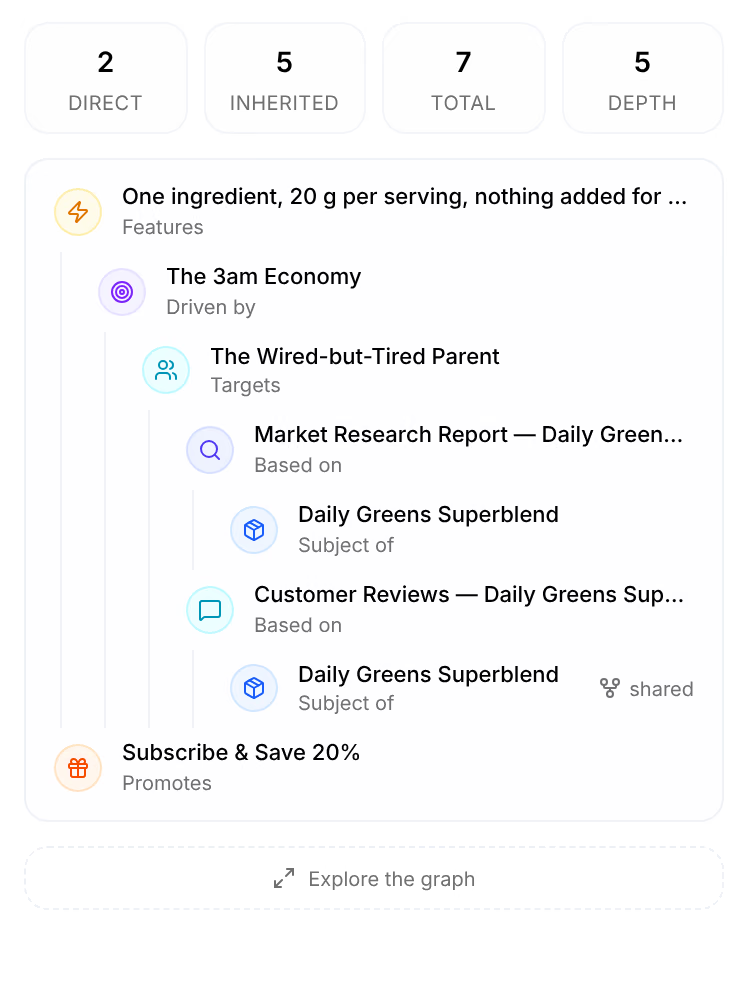
The hook and the offer are its own pieces, counted as Direct. The other five come with them, counted as Inherited: the angle brings its avatar, the avatar brings the research and the reviews it was based on, and those bring the product they are about.
How credit reaches a hook
An ad platform reports per ad. It cannot know that two of your ads share a hook, because the hook is your idea and not one of its objects. Omnymous was there when the ad was built, so it knows.
When an order comes in, Omnymous credits the ads that led to it, then passes each ad’s credit on to its atoms. How that credit is split is a setting you choose in the Lab and in the Library:
| Name | What it does |
|---|---|
| Carried | Every atom of an ad carries the ad’s whole credit. It shows what was present when the money came in, so the atoms together add up to more than the money. |
| Shared | The ad’s credit is divided among its atoms, so they add up to the money. |
| Fitted | The same division, weighted by each atom’s measured effect. Where no effect can be measured yet, it equals Shared. |
How sure an answer is
An atom needs traffic before anything can be said about it, so each one carries a verdict on what the data can tell so far. In the Library, the Performance lens lists them and filters by them.
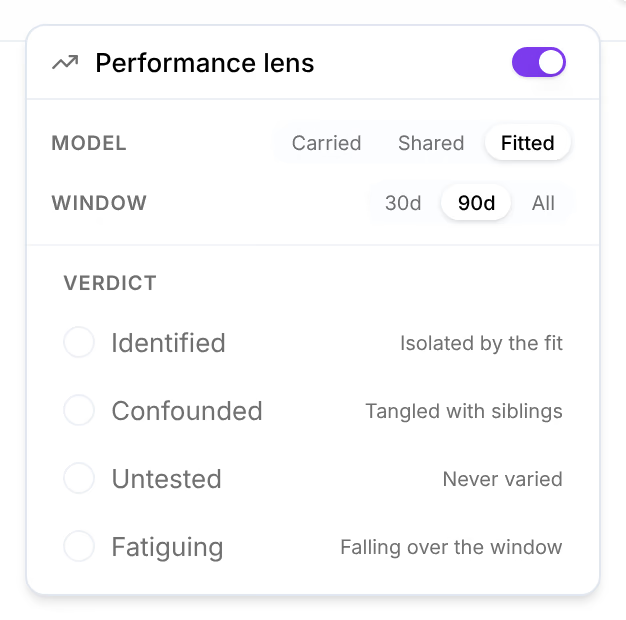
| Name | What it does |
|---|---|
| Identified | Its own effect can be told apart from the pieces it ran beside. |
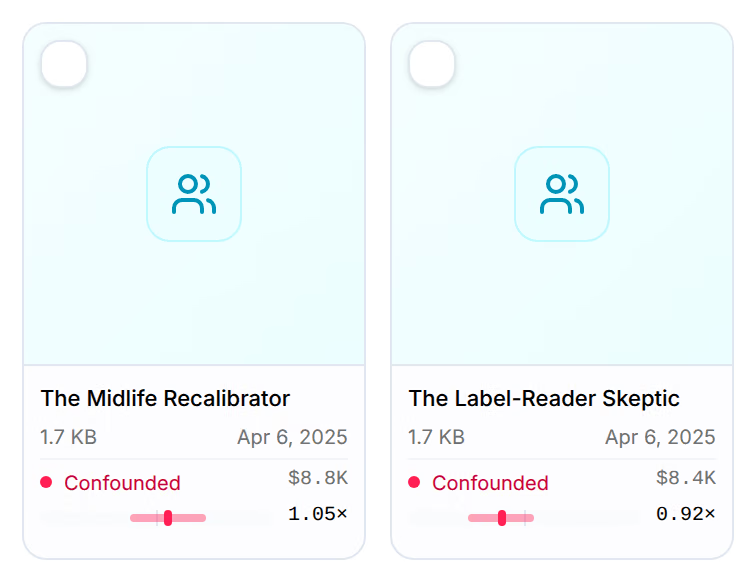
| Confounded | It has only run beside the same other pieces, so its effect cannot be separated from theirs yet. |
| Untested | No ad has varied it yet, so there is nothing to compare it with. |
| Fatiguing | It worked, and its results are now falling over the window. |
In the demo store, the avatars are still Confounded. So far each has run beside the same other pieces, so their effects cannot be told apart yet.
Where this shows up
- Find your way aroundThe frame around every screen of Omnymous, on a computer and on a phone: the sidebar, the store switcher, the top bar and your account menu.
- Connect your storeLink your Shopify store during setup, then set its Omnymous pixel to Always on so Shopify never pauses it.
- DashboardThe Dashboard shows the last 30 days of your store in one screen: what you earned, what you spent, and how your creative did.