
I cannot sign in
What each sign-in, code, reset link, invitation and locked-workspace message means, and what to do about it.

Start with the message on the screen: it appears as a small notice in the corner. Each section below is one message, in the order they are most often the cause.
"Invalid email or password"
Two usual causes: a typo in the address, or an account that was created with Google and has no password.
- Check the email address for a typo.
- If you registered with Continue with Google, sign in the same way.
- Otherwise press Forgot password? and choose a new one.
Omnymous shows the same message for a wrong password and for an address it does not know, so the message alone does not tell you which it is.
"Please verify your email address before logging in"
The account exists, but the six-digit code was never entered.
Sign in once more. Omnymous takes you to the Verify your email screen. Press Resend code there and enter the new code.
The code does not work

| What you see | Why | What to do |
|---|---|---|
| "That code is not right" | A digit is wrong, or the code is from an older email | Use the newest email. Each new code replaces the one before. |
| "This code has expired" | A code works for 15 minutes | Press Resend code |
| "That was the last try for now" | Five wrong codes in 15 minutes | Wait 15 minutes, then press Resend code |
| "That code has just been used" | The address was verified in another tab or on another device | Go to the sign-in page and sign in |
No email arrives
- Look in your spam folder.
- Check that the address shown on the Verify your email screen is the one you meant.
- Press Resend code.
"Too many failed sign-in attempts"
Five wrong passwords in 15 minutes lock sign-in for that account, whoever is trying and from wherever. Wait 15 minutes. If you are not sure of the password, press Forgot password? once the wait is over and do not guess again.
The reset link does not work
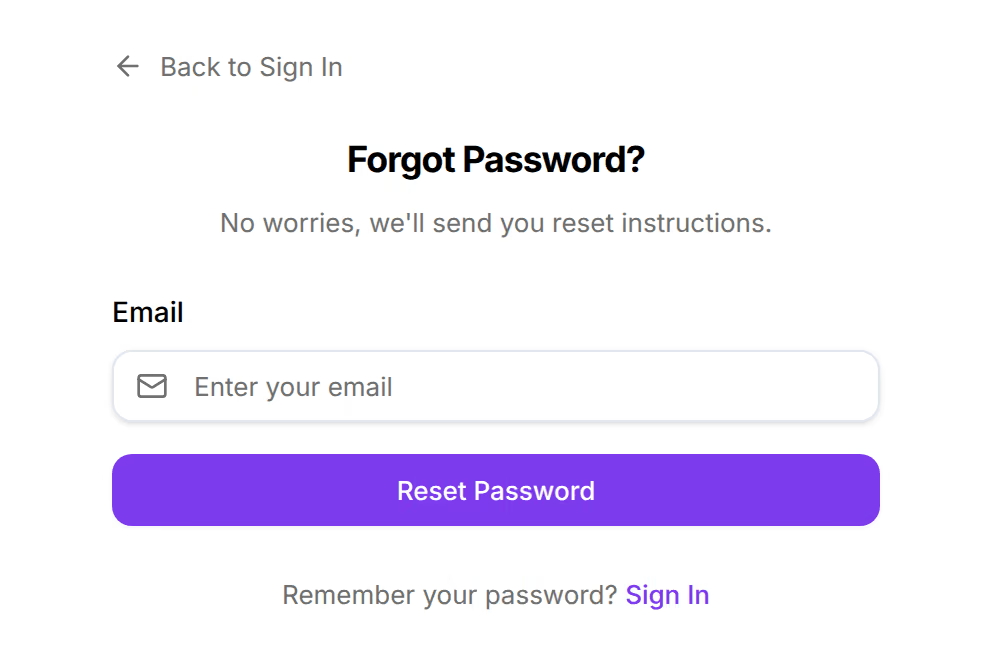
The screen reads This reset link has expired. A reset link works once, and for one hour. Ask for a new one and open the newest email: an older link stops working when a newer one is sent.
Asking for a link always answers "If an account with that email exists, a password reset link has been sent." Omnymous says the same thing whether or not the address has an account, so nobody can use the form to find out who has one.
"This account is linked to a different Google account"
Your Omnymous account is tied to one Google account, and you chose another in Google's window. Press Continue with Google again and pick the account you registered with, or sign in with your password.
The invitation link does not work
The page reads "This invitation link is invalid or has expired." Ask the person who invited you to send a new invitation from Account, then Organization.
An invitation belongs to the address it was sent to. If you are signed in with a different address, sign out and open the link again.
"Workspace locked"
Signing in worked. The workspace's subscription did not.
| What the screen reads | What it means | What to do |
|---|---|---|
| Workspace locked — payment failed | The last payment did not go through | An owner presses Reactivate subscription and pays |
| Workspace locked — subscription ended | The subscription was cancelled and its period is over | An owner presses Reactivate subscription |
| Subscription paused | Billing for the workspace is paused | Access is on hold until billing resumes |
Your data is safe in all three, and any store can still be exported as one ZIP from that screen. Owners only can reactivate. If you are not an owner, the screen says so: ask one, or switch to another workspace from the sidebar.
Still stuck
Press Support at the bottom of the sign-in page and send:
- the email address you are signing in with,
- the exact words on the screen,
- when it happened, with your time zone.
Do not send your password. Support never needs it.