
Double down on a winning avatar
Take an avatar the Attribution Lab calls a winner, write new angles and hooks for it in Studio, and launch them as the next test.

You will end with a new batch of creatives written for the customer your ads already sell best to: fresh angles for that avatar, hooks for each angle, images for each hook, launched so that each new angle gets its own result.
When to use it
When the Lab calls an avatar Winner, or Leads with a sure enough interval, and you want more of what works without repeating the same ad. Give your current ads two weeks or more first: a call needs evidence. You need your AI keys, Meta connected, and the role of owner, admin or member.
The route
Find the avatar in the Lab
Open Analytics, then Creatives, then the Attribution Lab. Avatars are judged at the Intent stage, on the add-to-cart rate of the visits they bring. Choose Customer Avatar in the left column, and look down the Call column for Winner or Leads.
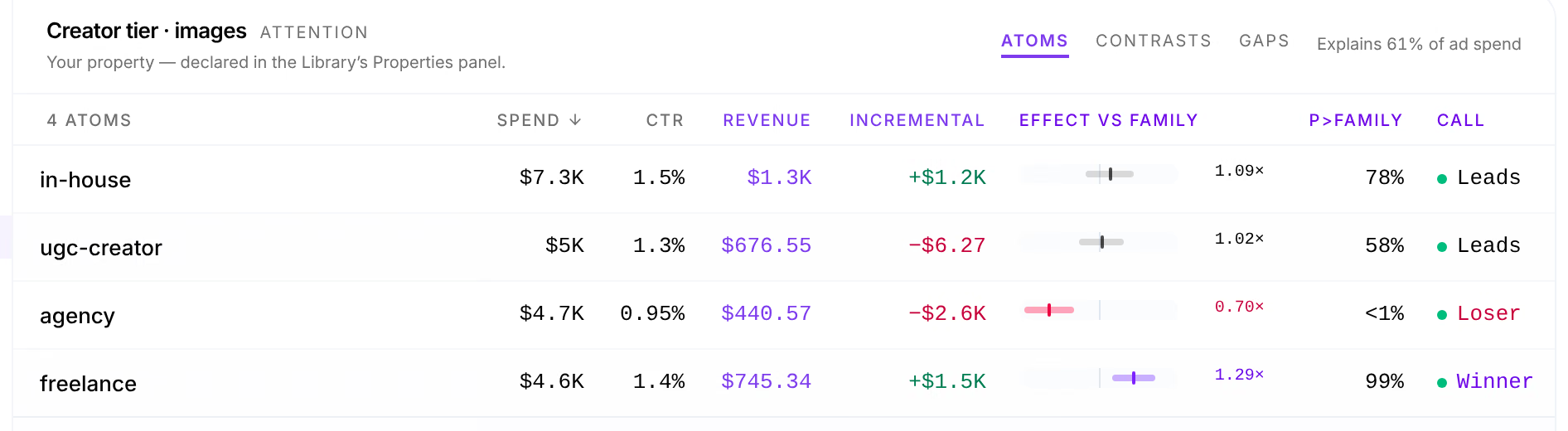
Check that it stands on its own
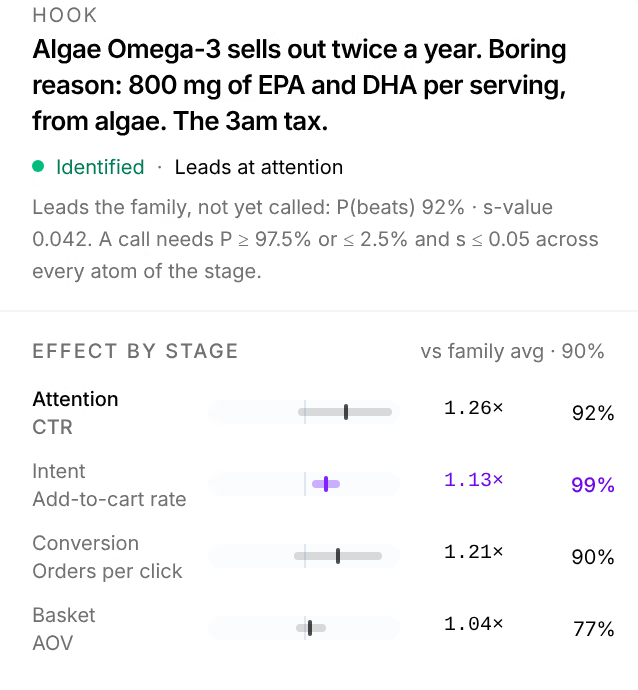
Press the avatar's name. Its panel opens on its verdict, then Effect by stage. If Cannot be told apart from lists another atom, the avatar always ran with it, and the win may be the other one's: vary them apart in this test.
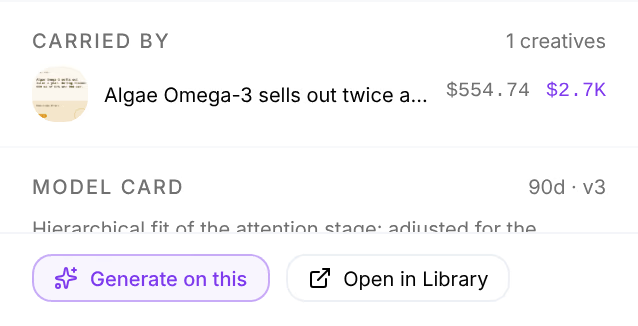
Generate on this
At the foot of the panel, press Generate on this. Studio opens with the avatar on the board, ready for new creatives built on it.
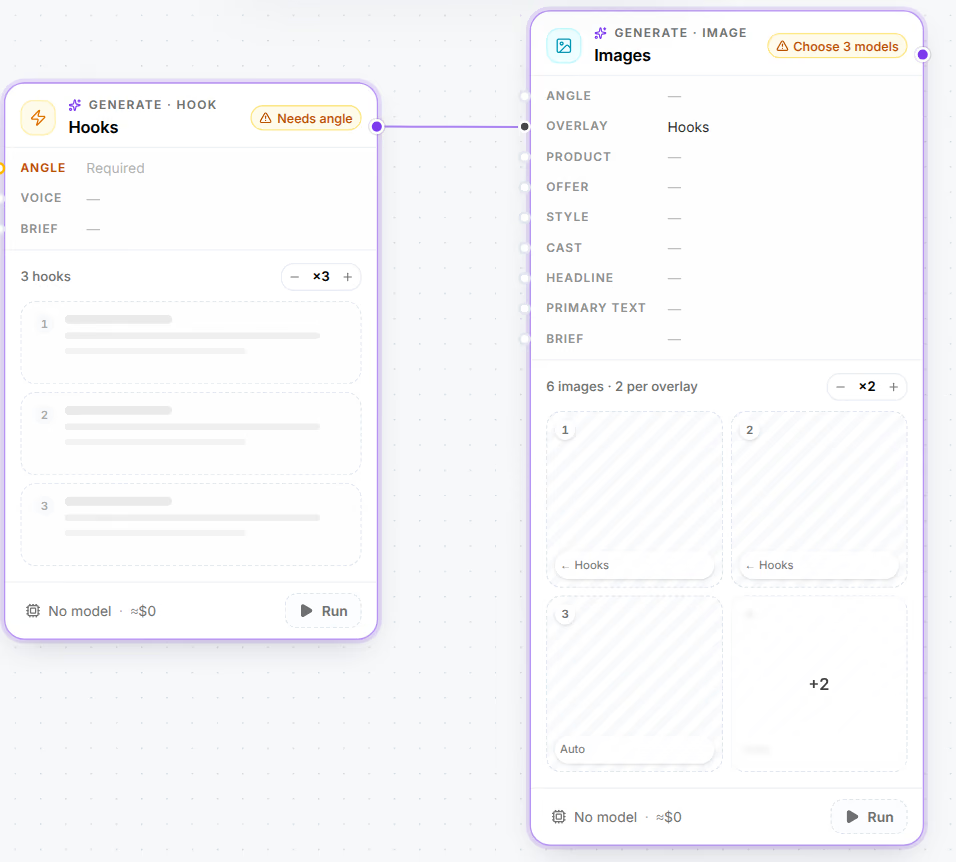
Write angles, hooks and images
To give the avatar new arguments, add an Angle card from Add and wire the avatar into it: angles are written for an avatar. Wire the angles into a Hooks card, and the hooks into an Images card, as Static creative test lays them out. Choose a model on each card and press Run all.
Launch them as a test
In the Launcher, tick the new creatives and their page. On Structure, check that the campaign is split by angle, so each new angle earns its own result. Set the account and the budget, and press Launch.

Read the result
After a week or two, open the Lab on Angle: the new angles are called against each other and against your earlier ones, all within the avatar that won. Contrasts compares two angles directly, and Experiments lists the tests the Lab found in what you ran.
Variations
-
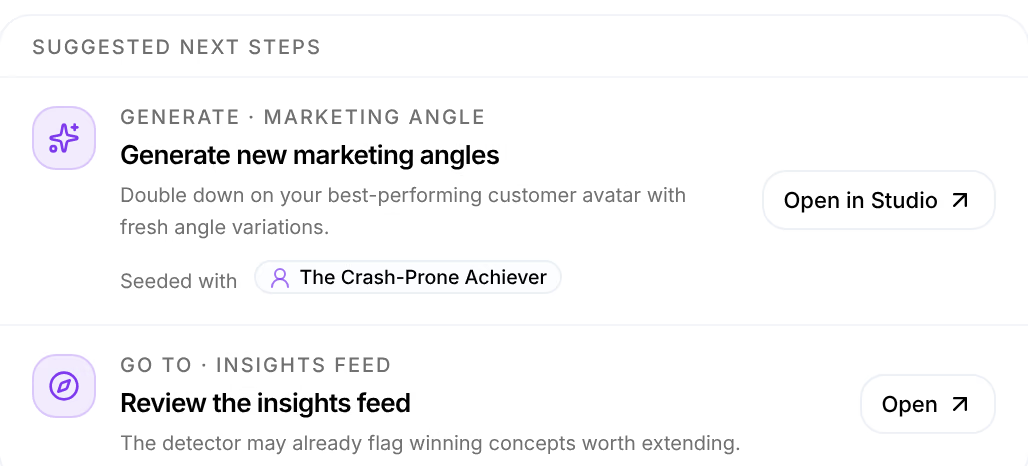
Let Omni suggest it. Ask Omni "What should we test next?": it ranks your avatars and offers a card to generate new angles seeded with one, which opens Studio filled in.
-
Pairs you never tried. The Lab's Gaps lists pairs of atoms that never ran together, such as a hook with an avatar, with what the model expects of each. Its Generate opens Studio with both chosen.
-
A winning angle instead. The same route works for an angle: its hooks come next.

Related
- Attribution LabThe Lab credits revenue to each hook, angle, avatar, offer and page inside your ads, and says how sure it is of each one.
- ExperimentsExperiments finds the tests hidden in your launches, ads in one campaign that differ in one thing, and calls each one when the data can.
- From product to live adTake one product from your Library to a live Meta campaign in one sitting, with every ad's pieces on record so its orders can be credited to them.