
Ask Omni what's working
A weekly review done by asking Omni how the store did, which creatives earned the money and what to test next, with a button to act on the answer.

You will end with a review of your week in one conversation: how the store did against the period before, which creatives and pieces earned the money, whether your tracking can be trusted, and the next test, one button away in Studio.
When to use it
Once a week, at the same time, so each review compares like with like. It takes ten to fifteen minutes. You need the role of owner, admin or member, and an AI key for the model Omni answers on.
The route
Start a conversation
In the sidebar, under Chat, choose Omni. The pencil at the top right starts a new chat. If the chip under the question field reads Choose a model, pick the model Omni answers on.
Check that the data holds
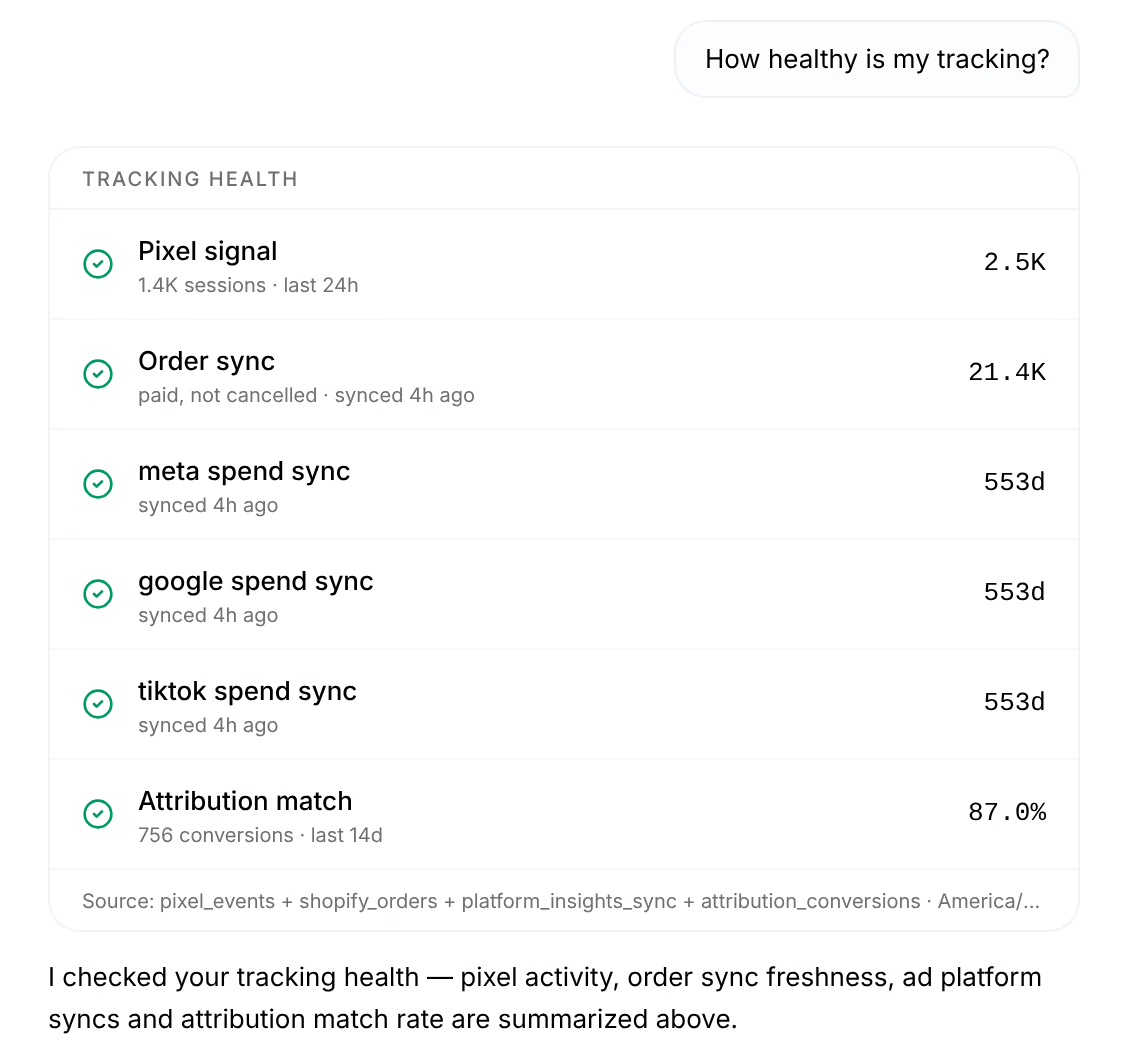
Ask "How healthy is my tracking?". A green check on the pixel, your orders, each ad platform and the attribution match means the rest of the review stands on solid ground.
Ask how the week went
Ask "How did revenue trend over the last 7 days?". The answer compares net revenue, net profit, orders and ad spend with the 7 days before, and says where the figures come from.
Ask what earned the money
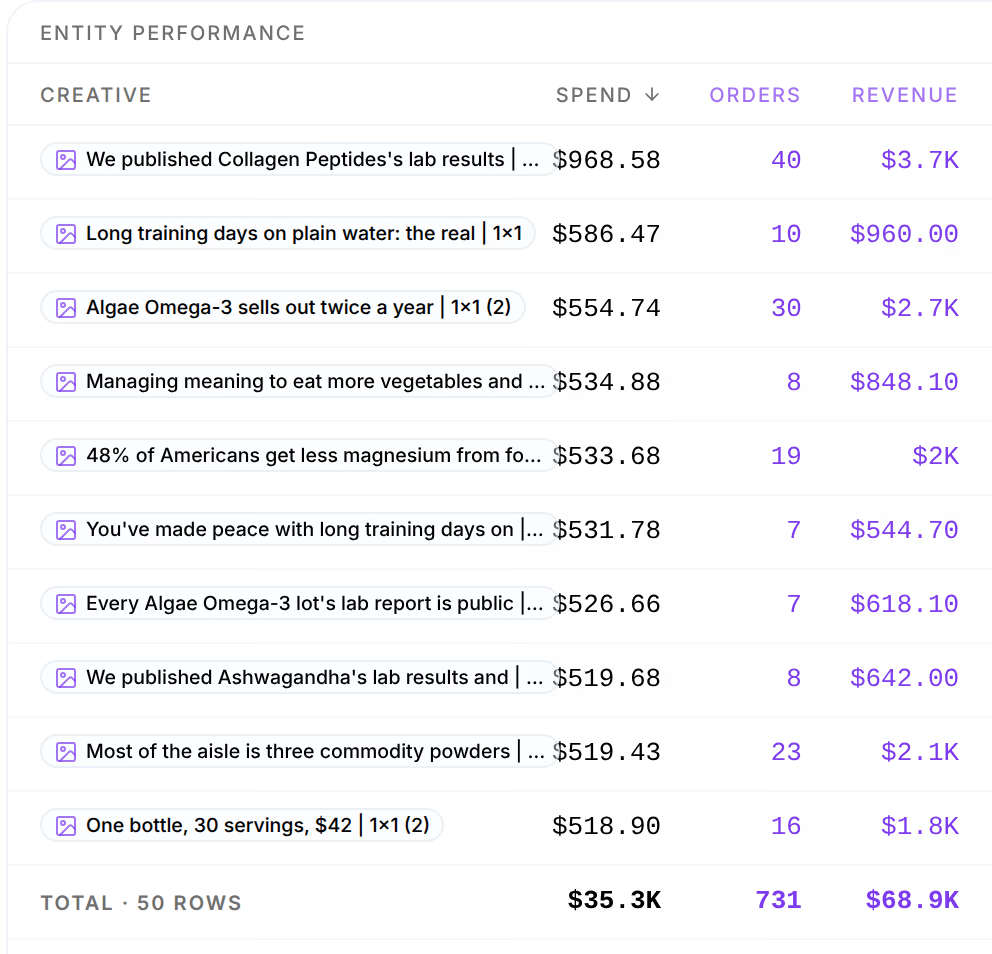
Ask "Which creatives are winning right now?", then follow it with "and by angle?" or "and by avatar?". Each name in the table opens the item in your Library.
Ask what to test next
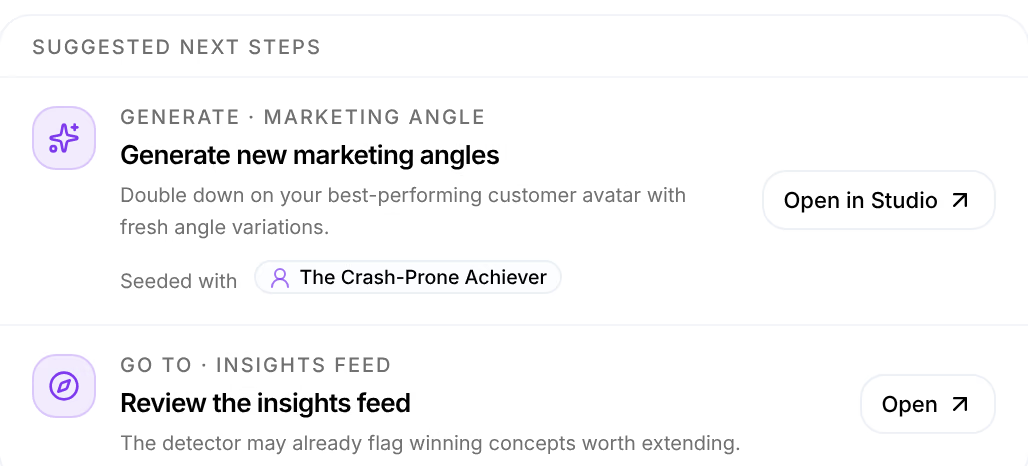
Ask "What should we test next?". Omni ranks what it found and answers with cards under Suggested Next Steps, such as new angles seeded with an avatar.
Act on it
Press Open in Studio on the card you agree with. Studio opens with the board filled in from the answer; choose the models and run it. Nothing is made until you do.


Read the result
Every figure in the conversation is computed by the analytics engine, and the Source line under each says from what, for which days and under which attribution model. Compare the answers with last week's: the conversation stays in Omni's history, under a short title Omni gives it. Rename it from its row's menu, such as "Week 42", to find it again.
A winner in one week is a lead, not a verdict. Before you shift budget, ask Omni "How sure are we?" about it, or open it in the Attribution Lab.
Variations
- One platform. Add "on Meta" to any question to leave Google and TikTok out.
- Profit first. Ask "What was my net profit last week, and what ate into it?" for the profit and loss, line by line.
- One order. Ask for the journey of an order that looks odd, by its number.
Related
- How Omni answersOmni answers questions about your store with figures from the analytics engine, says where each comes from, and offers the next step as a button.
- Questions that workQuestions Omni answers well, grouped by what you want to find out, and how to word one so the answer is the one you need.
- Double down on a winning avatarTake an avatar the Attribution Lab calls a winner, write new angles and hooks for it in Studio, and launch them as the next test.