
Launch settings
Every setting a launch takes: the Meta account and budget guardrail, the campaigns' objective and bidding, the ad sets' audience, the ads' call to action.
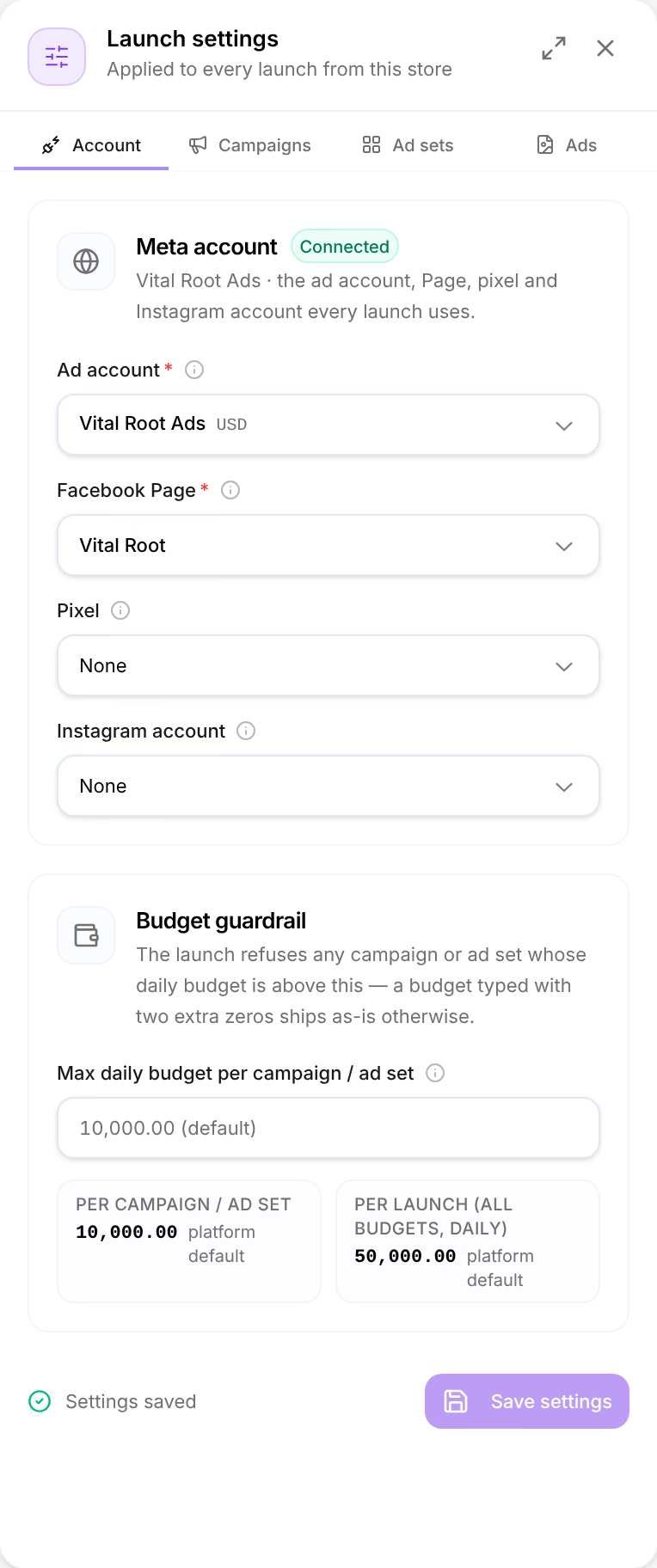
Launch settings opens from Settings in the Structure step's toolbar, beside the plan. It has four tabs. Account is the store's own: what you save there applies to every launch from the store. Campaigns, Ad sets and Ads belong to the launch you are setting up, and Save as store defaults, at their foot, makes them the starting point of every new one.
Amounts are in the ad account's currency.
Account
| Setting | What it is |
|---|---|
| Meta account | The store's Meta connection, and where it stands: Connected, Not connected, No ad account, Reconnect needed or Couldn’t check. When it is not Connected, the one thing to do takes the place of the settings below. See Manage your ad platforms. |
| Ad account | Required. The Meta ad account used for billing and campaign management. |
| Facebook Page | Required. The page that will own the ads. Users see this page name on ads. |
| Pixel | The Meta Pixel for conversion tracking. Required for the Sales objective. |
| Instagram account | Optional. Link an Instagram account for Instagram ad placements. |
Press Save settings to keep them. Until you do, the foot reads Unsaved changes, and Launch still waits for an ad account and a Page.
Budget guardrail
The launch refuses any campaign or ad set whose daily budget is above this — a budget typed with two extra zeros ships as-is otherwise.
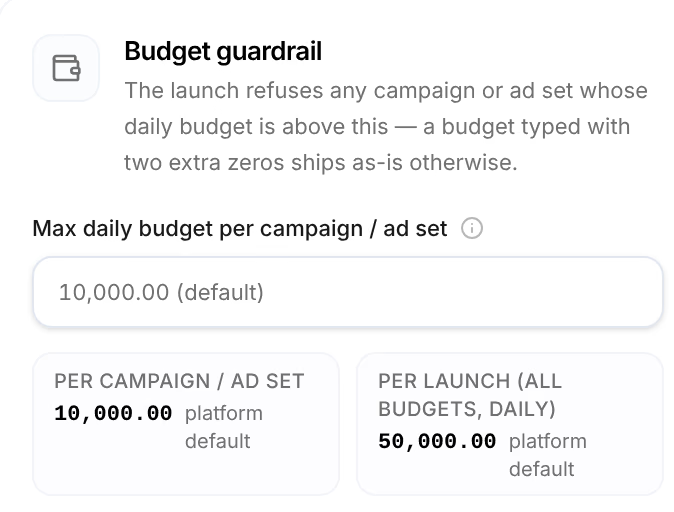
| Limit | Default | What it holds |
|---|---|---|
| Per campaign / ad set | 10,000.00 a day | The daily budget of any one campaign, or of any one ad set when ad sets carry the budget. Set your own in Max daily budget per campaign / ad set. |
| Per launch (all budgets, daily) | 50,000.00 a day | All the launch's daily budgets added up. It rises to your own per-campaign limit when that is higher. |
Under each figure, this store or platform default says where it comes from. A launch over either limit creates nothing: see Launch and recover.
Campaigns
| Setting | Choices |
|---|---|
| Objective | Sales to start with, Leads, Traffic, Awareness or Engagement. Changing it sets Bid strategy back to Highest volume, because Meta allows different strategies for each. |
| Budget | The switch between ABO and CBO: with CBO, each campaign carries the budget (Campaign budget); with ABO, each ad set does (Per ad set). |
| Daily budget (per campaign) | The daily budget of each campaign, or Daily budget (per ad set) with ABO. Required. |
| Bid strategy | Highest volume, Bid cap, Cost per result goal or ROAS goal. The last three ask for their amount: the bid cap, the cost per result, or the Minimum ROAS, as in 2 for 2.0x. |
| Initial status | Paused: the campaigns are created on Meta paused, and start when you start them in Ads Manager. Active: they start delivering once Meta approves the ads. |
Ad sets
| Setting | Choices |
|---|---|
| Optimization goal, Billing event | Shown, not changed: OFFSITE_CONVERSIONS, so the ad sets optimize for conversions on your site, and IMPRESSIONS, so they are billed by impressions. |
| Conversion event | Purchase to start with, Add to Cart, Initiate Checkout, Add Payment Info, Lead, Complete Registration, Subscribe, Start Trial, View Content or Search. |
| Attribution window | Meta default (7d click · 1d view) to start with, 7-day click only, 1-day click only, 1-day click · 1-day view, or 7-day click · 1-day view (explicit). It changes what Meta credits, not what Omnymous does. |
| Audience | Where, and to whom, the ads are shown. 18–65 to start with, and no country: press Edit. |
| Schedule | Start and End. Leave empty to start delivering as soon as ads are approved, with no end. |
| EU compliance (DSA) | Beneficiary and Payor: the legal entities the ads benefit and that pay for them. Required when targeting EU countries (DSA Article 26). |
Edit, beside the audience, opens Audience, where a launch needs at least a country or a custom audience:
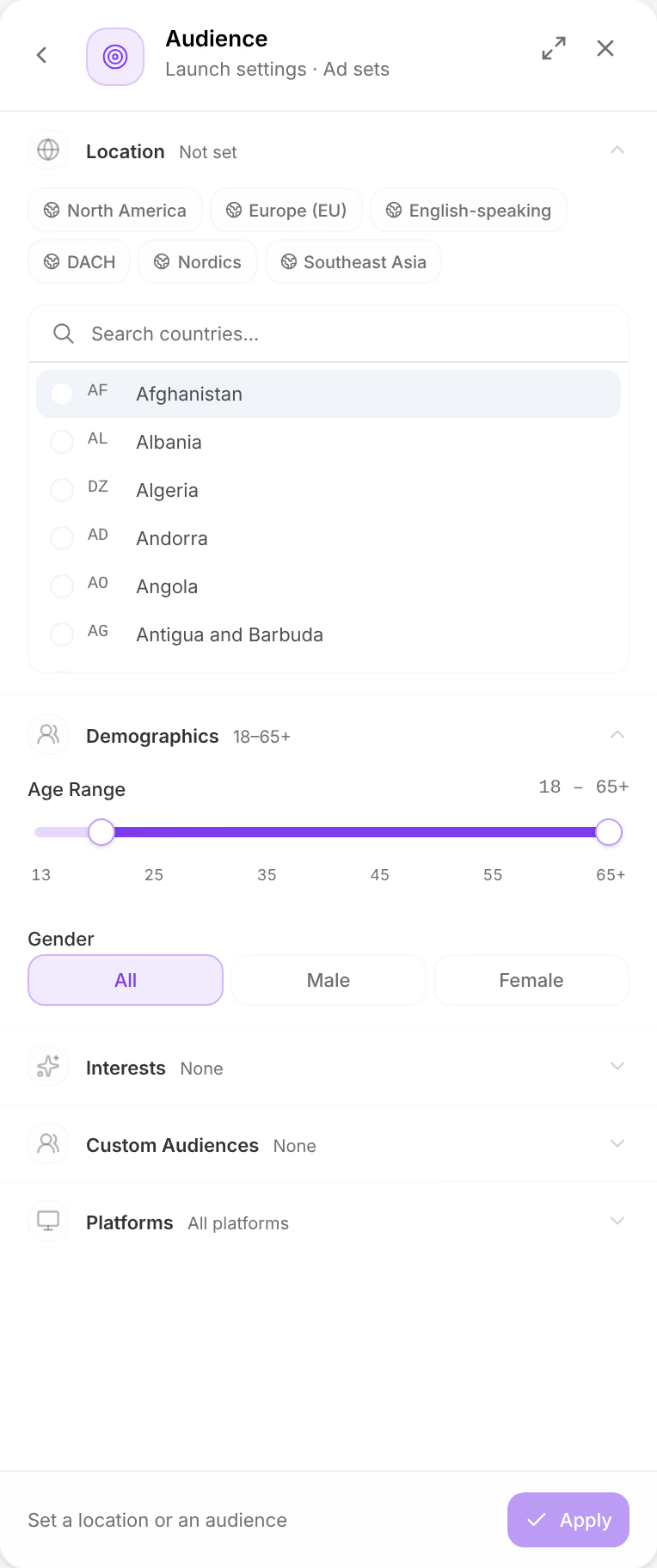
| Section | What it sets |
|---|---|
| Location | The countries. A preset adds a group at once, such as North America; Search countries... adds one. |
| Demographics | Age Range, from 13 to 65+, and Gender: All, Male or Female. |
| Interests | Meta's interest targets. Type at least 2 characters to search. |
| Custom Audiences | The audiences already in your Meta ad account, such as your website visitors. Create them in Ads Manager first. |
| Platforms | Facebook, Instagram, Messenger and Audience Network. All platforms selected — Meta optimizes delivery automatically. |
Press Apply to keep the audience.
Ads
| Setting | Choices |
|---|---|
| Call to action | Shop Now to start with, Learn More, Sign Up, Buy Now, Get Offer, Subscribe, Contact Us or Download. |
| URL parameters | Your own parameters on every ad's link. See Add your own URL parameters. |
| Burn captions into video ads | Shown when you launch a video, and on to start with: generated videos launch with their captions burned in, since most feed video plays muted, and Reels and Stories take no caption file. Uploaded videos launch as they are. |
| Advantage+ enhancements | Off, and not yet available: launches use the Meta ad account's own defaults. |
One campaign or ad set, differently
Click a campaign card on the Structure step to change that campaign alone: its Initial status, and its Daily budget when campaigns carry the budget. An ad set card does the same for its Daily budget, when ad sets carry it, and its Targeting, with Override.
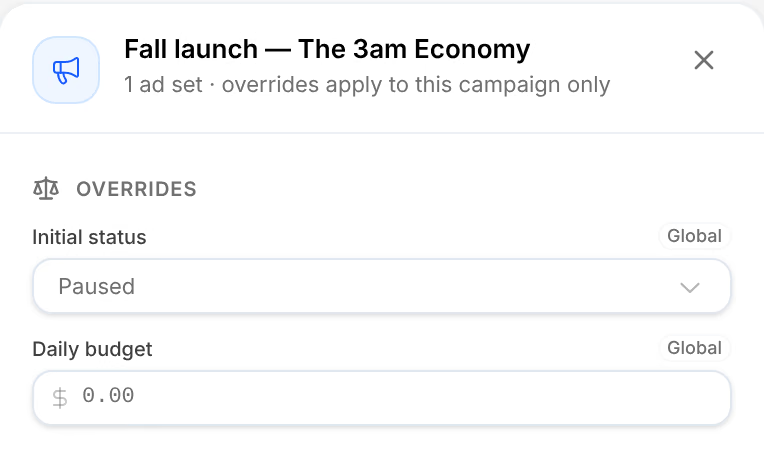
A setting the launch applies to everything reads Global; one you changed here reads Overridden, and Reset to global takes it back.
Related
- Split a launch and name itDecide where each kind of piece splits your launch, into campaigns, ad sets or ads, name every level from its pieces, and add your own URL parameters.
- Launch and recoverPress Launch, watch Meta create each ad, and know what to do when a launch is stopped, refused, or leaves ads failed or unconfirmed.
- Manage your ad platformsConnect Meta, Google or TikTok to a store after setup, reconnect one that stopped updating, refresh what it reads, and disconnect it.