
Launch and recover
Press Launch, watch Meta create each ad, and know what to do when a launch is stopped, refused, or leaves ads failed or unconfirmed.
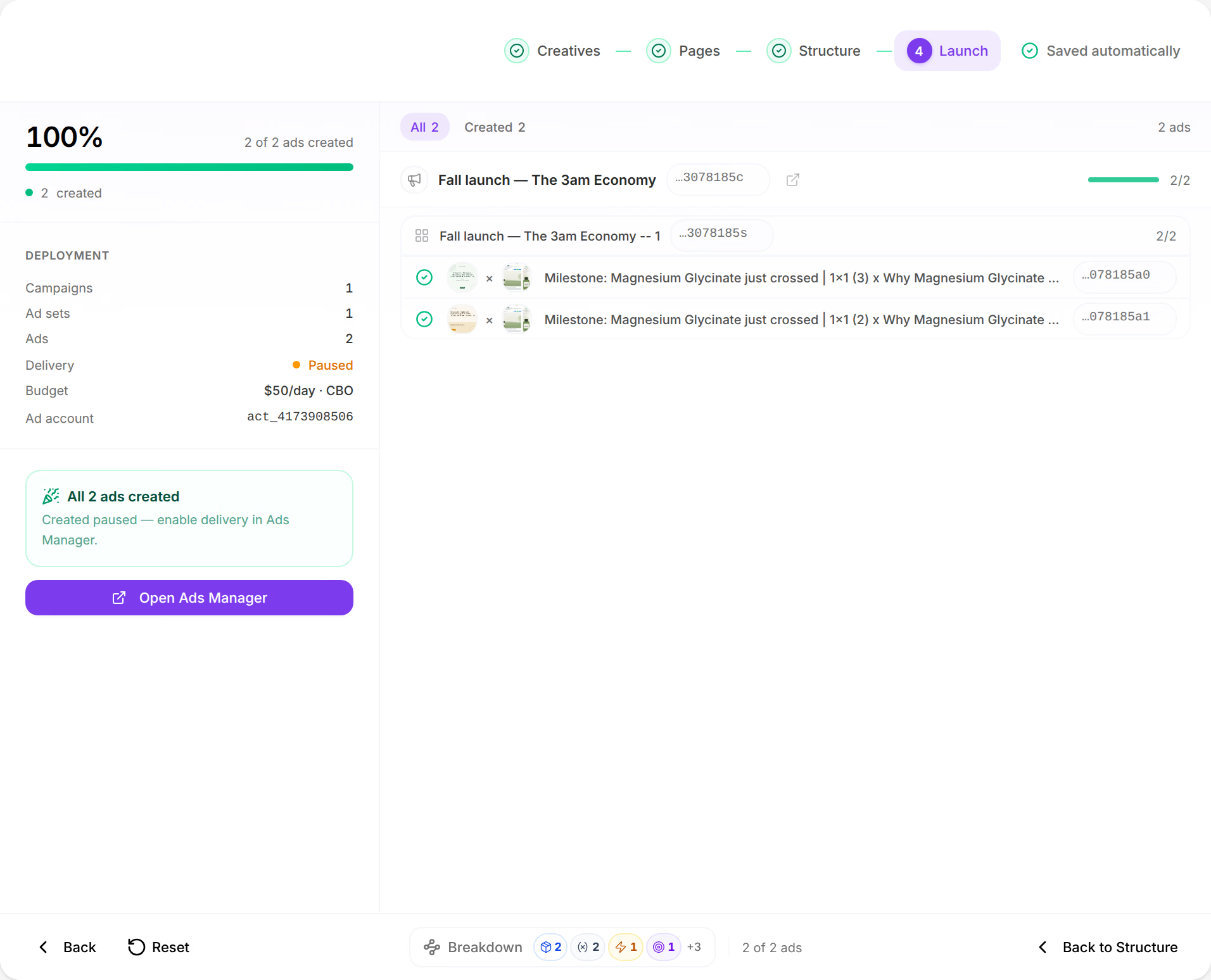
Pressing Launch sends your plan to Meta, which creates every campaign, ad set and ad in your ad account, one ad set at a time. The last step shows each ad as it is created, and when something does not go through, it says what, and lets you retry only what failed, so no ad is created, or paid for, twice.
Before you start
- A plan on the Structure step with nothing missing beside Launch. See How the Launcher works.
- An ad account and a Facebook Page saved under Launch settings, Account. See Launch settings.
Launch
Press Launch
At the foot of the Structure step, press Launch. The Launcher moves to its last step and sends the plan.
Watch it fill in
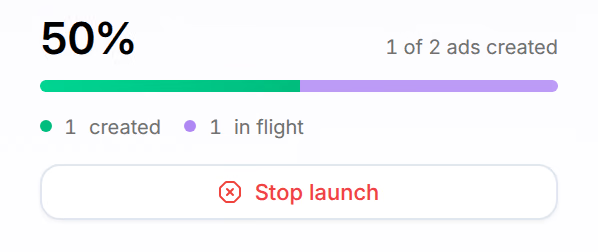
On the left, the share of ads created, the count, as in 1 of 2 ads created, and how many are created, failed, in flight and queued. On the right, every campaign, ad set and ad of the plan, each with where it stands.
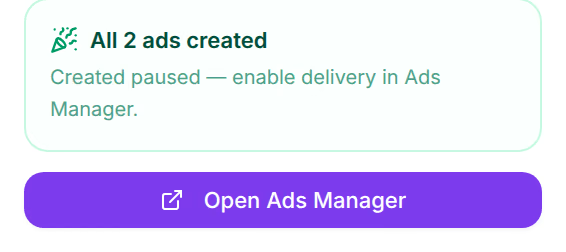
Open Ads Manager
When it ends, Open Ads Manager opens the ad account on Meta. The link beside a campaign's name opens that campaign there.
The step reads All 2 ads created, with your number. With Initial status on Paused, the campaign waits on Meta: Created paused — enable delivery in Ads Manager.
Each ad says where it stands: Queued, Uploading media, Creating, Outcome unknown — checking or Not created; once created, its Meta ID, and once failed, the reason. The tabs above the board, such as All, Created and Failed, show one kind of ad at a time. A Meta ID copies with a click.
The launch goes on if you leave the page. Back on the Launcher, it opens on Structure: press Launch to follow it, and the Launcher answers This setup is launching right now — follow it on the launch view. and takes you there.
Stop a launch
Press Stop launch, under the count, then Stop launch again in Stop this launch?.
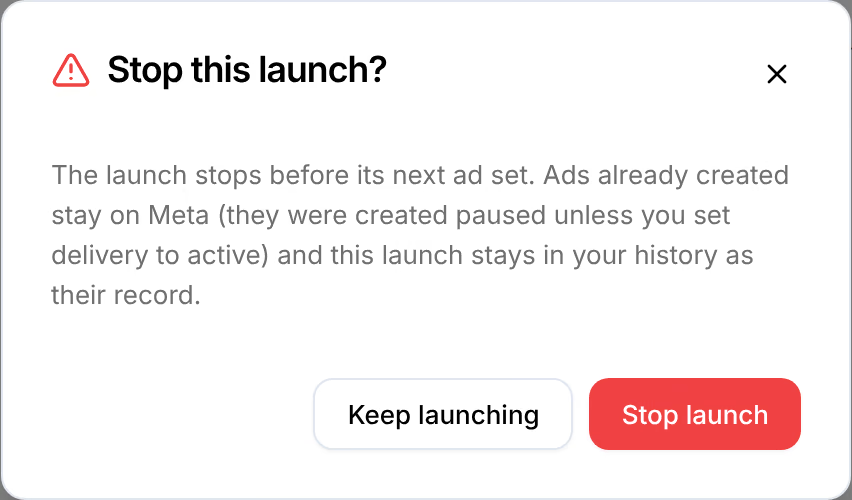
The ad set in progress is finished first, and the step reads Launch stopped — 1 ad created, with your number: Ads created before the stop stay on Meta — pause or delete them in Ads Manager if you do not want them.
Retry failed ads
When Meta refuses some ads, the step reads 1 of 2 ads created, with your numbers, and Failure reasons lists why, each reason with how many ads it stopped. The board shows only the failed ads; All shows the rest again.
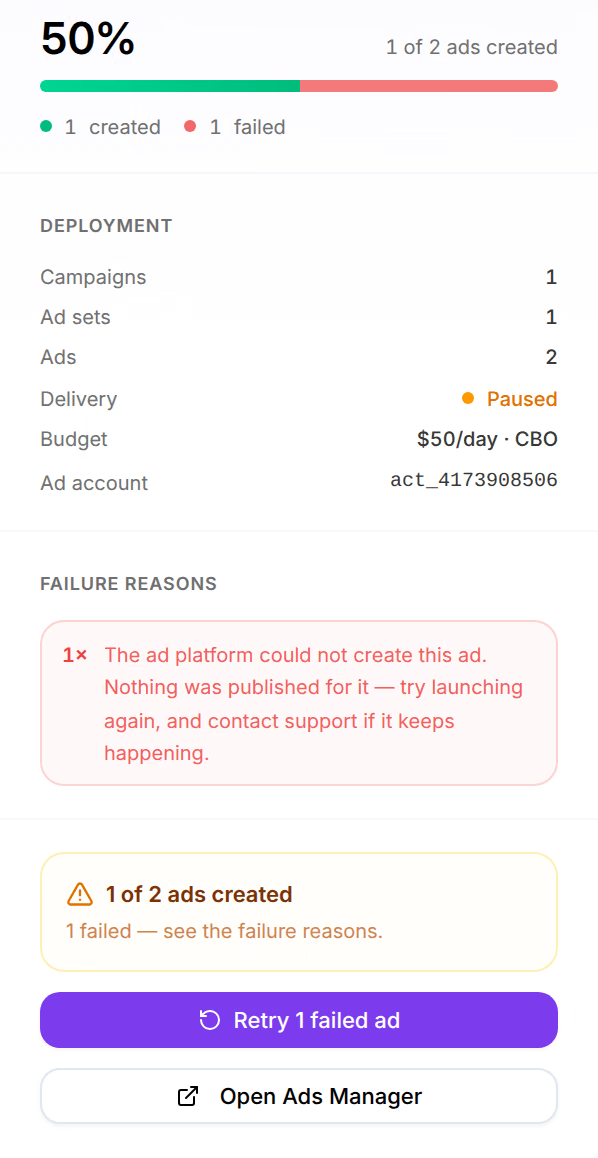
Fix what the reasons say, then press Retry 1 failed ad, with your number. Only the failed ads are sent again: Retrying 1 failed ad — the ads already on Meta are not sent again. A launch where every ad failed reads Launch failed, and retries the same way; one that failed before creating anything offers Retry launch.
Ads that were never confirmed
Now and then Meta is asked to create an ad and never confirms it, and the ad may exist in Ads Manager anyway. The step says so, and when Omnymous will look:
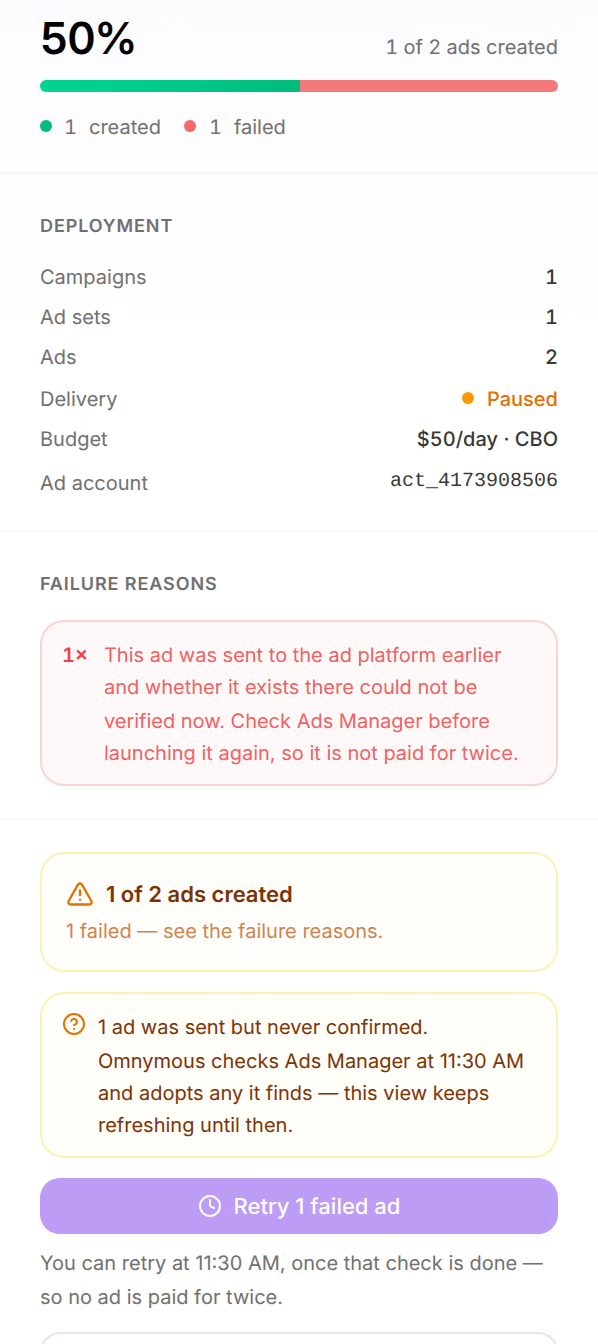
Omnymous checks about 30 minutes after the launch, and an ad it finds there becomes Created. Until then, an ad that was still being created when the launch ended reads Outcome unknown — checking, and a failed ad that was sent cannot be retried: Retry waits, and says until when, so that the same ad is not created twice.
The launch was refused
Launch refused — nothing was created means the launch stopped before Meta was asked for anything. Below it, the reason, and where to fix it:
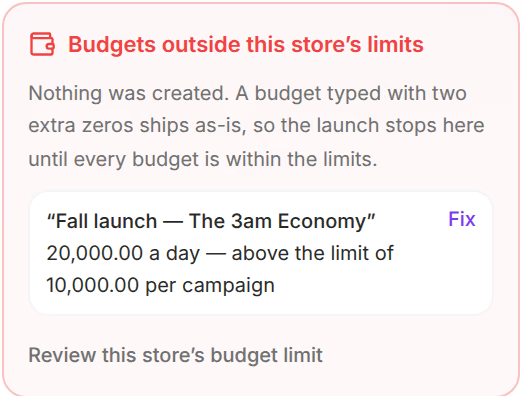
- Budgets outside this store’s limits: a daily budget is above the budget guardrail. Fix opens the campaign or ad set on its budget; Review this store’s budget limit opens the guardrail, if the budget is right.
- Reconnect Meta to launch: Meta stopped authorizing the store. Open Integrations, reconnect Meta, and launch again. See My launch was refused or ads failed.
Fix it, then press Launch again.
Launch the same setup again
After a launch, Back to Structure takes you back to the plan, as you left it. Press Launch again, and Launch again as a new launch? says what the earlier launch left on Meta: Launch as new creates a new set of campaigns, ad sets and ads; Keep editing changes nothing. To start a new setup instead, press Reset.
If something goes wrong
| What you see | What to do |
|---|---|
| Not yet — Omnymous first checks Ads Manager for the failed ads that were sent, so none is paid for twice. You can retry at … | Retry at the time it says. |
| Please configure Meta account settings first (ad account + page) | Choose and save the ad account and Page under Settings, Account. |
| A campaign on Meta that you did not want | Pause or delete it in Ads Manager. |
For anything else, see My launch was refused or ads failed.
Related
- CampaignsCampaigns sets what each ad platform claims beside what Omnymous credits, from the channel down to the single ad.
- My launch was refused or ads failedWhy Launch stays greyed out, why Meta refused a launch, and what to do with ads that failed, were stopped, or were sent without a confirmation.
- Launch settingsEvery setting a launch takes: the Meta account and budget guardrail, the campaigns' objective and bidding, the ad sets' audience, the ads' call to action.