Variables
Variables are the reusable pieces of your ads, avatars, angles, ad copy, actors, page copy and offers, each one written once and credited on its own.

Variables are the pieces your ads are made of: who an ad speaks to, what it argues, the words it opens with, who appears in it, what it offers, and the copy of the page it sends buyers to. Each piece is written once and reused across creatives, and because Omnymous knows which creatives carry it, each one is credited on its own. Open them from the sidebar, under Library.
What you can do here
- The item panelEvery Library item opens in the same panel, which says what the item is, how it performs, what you can do with it, how it was made and what it is made of.
- Add your own propertiesGive a kind of Library item fields of your own, such as who made a creative, fill them in on your items, find items by them, and credit them in the Lab.
- Review pieces from your adsDecide what Omnymous could not settle when it read your ads, merging each piece into the Library item it matches or keeping it as an item of its own.
- Search and foldersEvery Library page shares one toolbar, to search and filter its items, sort them, read how they perform, and keep them in folders.
The six kinds
The buttons at the top right choose the kind of variable. Each builds on the ones before it.

| Name | What it does |
|---|---|
| Avatars | Customer avatars: who you sell to, with their age, situation, likes and dislikes, fears and desires. An avatar is written from your knowledge, ideally a market research report. |
| Angles | Marketing angles: the argument an ad makes, to one avatar, for one product. An angle holds its awareness stage, the problem it frames, the outcome it promises, its mechanism, its proof and the objection it answers. |
| Ad Copy | The words of an ad, each written on an angle: a Hook, the opening line; a Body; a Primary Text, Meta's main text field; a Headline; and a Description. |
| Actors | The people who appear in your ads, each cast for an avatar: a Fictional character, or a Creator you work with. |
| Pages Copy | The copy of the pages your ads send buyers to: Landing Page Copy, Product Page Copy, Advertorial Copy and Listicle Copy, each written on an angle, an actor and an offer. |
| Offers | What you offer on one product: its price per variant, bonuses, guarantee and urgency, such as Subscribe & Save 20%. |
Add a variable
Add opens the form for the kind on screen; on Ad Copy and Pages Copy it first asks which type. A form has two tabs: Properties, the variable's own fields, and Dependencies, the items it is written on.
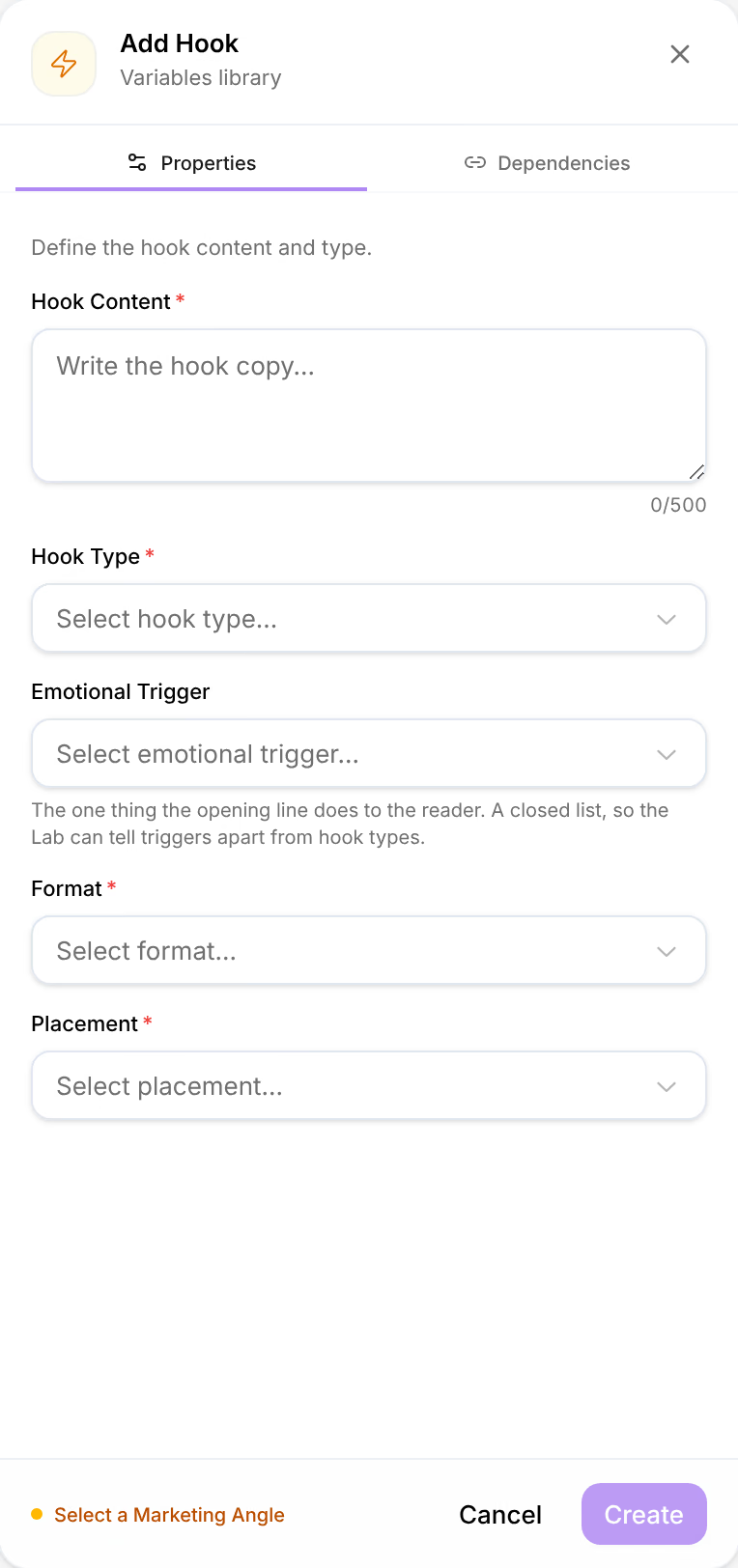
The form's foot names what is still missing, such as Select a Marketing Angle, and Create waits until nothing is. Each kind asks for the items it builds on:
| Kind | Written on |
|---|---|
| Avatar | Knowledge items, market research above all |
| Angle | A product and an avatar |
| Ad copy | An angle |
| Actor | An avatar |
| Page copy | An angle, an actor and an offer |
| Offer | A product |
Your own properties, if you defined any for the kind, appear in the form too. See Add your own properties.
Generate variables
Generate opens Studio, where cards write avatars, angles, actors, page copy and offers from the items you wire in, on your AI keys. What they make lands here, marked Generated, with its dependencies recorded. Ad copy is written in Studio too, by a Copy card. See Generate your first content.
A variable's card
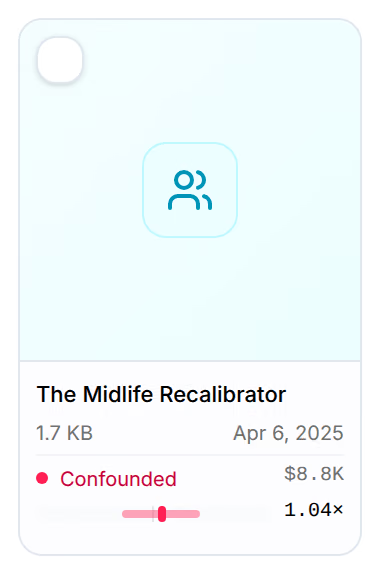
A card shows the variable's name, its size and when it last changed. With Performance on, the line under them is its verdict, the spend it carried and its effect, with a bar for how sure the effect is:
| Verdict | Meaning |
|---|---|
| Identified | Its effect can be told apart from the pieces it ran beside. |
| Weak | Its data lean one way, but its ads varied it too little to say much. |
| Confounded | It always ran beside the same pieces, so its effect belongs to the group. |
| Untested | No ad carried it in the lens's window, the last 90 days unless you change it. |
| No fit yet | It ran, but no nightly fit covers it yet. |
These are the Attribution Lab's verdicts, read from the same model: see Attribution Lab.
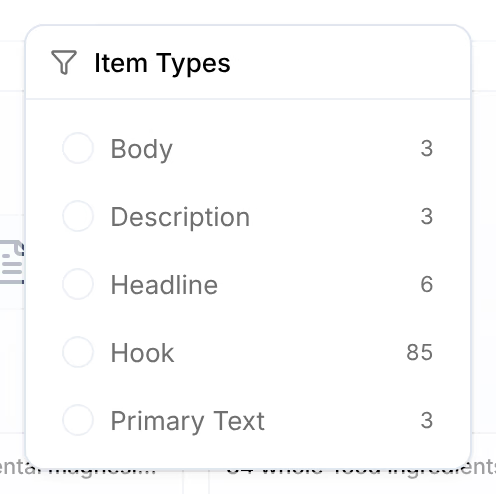
On Ad Copy, each type has its own mark on the card, such as H for a hook, and Item Types narrows the cards to the types you tick.
Pieces read from your ads
Variables that Omnymous read from the ads you ran are marked Observed. When it cannot tell a piece apart from a variable you already have, the piece waits for you: To review appears at the left of the toolbar with how many wait, and each kind's button counts its own. See Review pieces from your ads.
On a phone
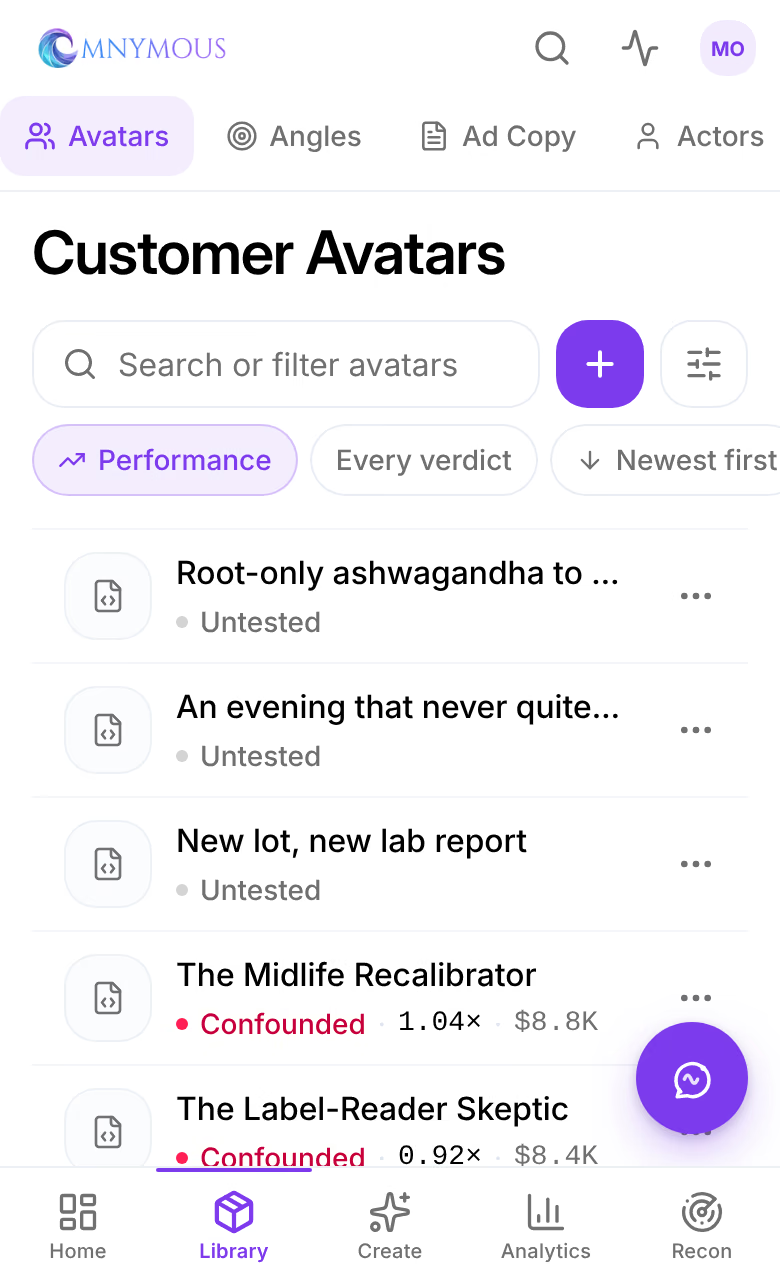
Variables is a list, and the six kinds are the row of tabs under the screen's name. A row is a variable with its verdict. The round + beside the search adds one, and the chips under it set the lens, the verdict and the order.