
Split a launch and name it
Decide where each kind of piece splits your launch, into campaigns, ad sets or ads, name every level from its pieces, and add your own URL parameters.

The Structure step plans your launch from the pieces your creatives and pages were made from, and starts with a split of its own. Here you move each kind of piece to the level you want, name every level from its pieces, and add the URL parameters your own reports read. Nothing reaches Meta until you press Launch.
Before you start
- Creatives and pages chosen on the Launcher's first two steps, and the Launcher on Structure. See How the Launcher works.
Choose where each piece splits
Open Split structure
Press Structure in the toolbar above the plan. Split structure opens beside it.
Pick a preset, or split each kind of piece
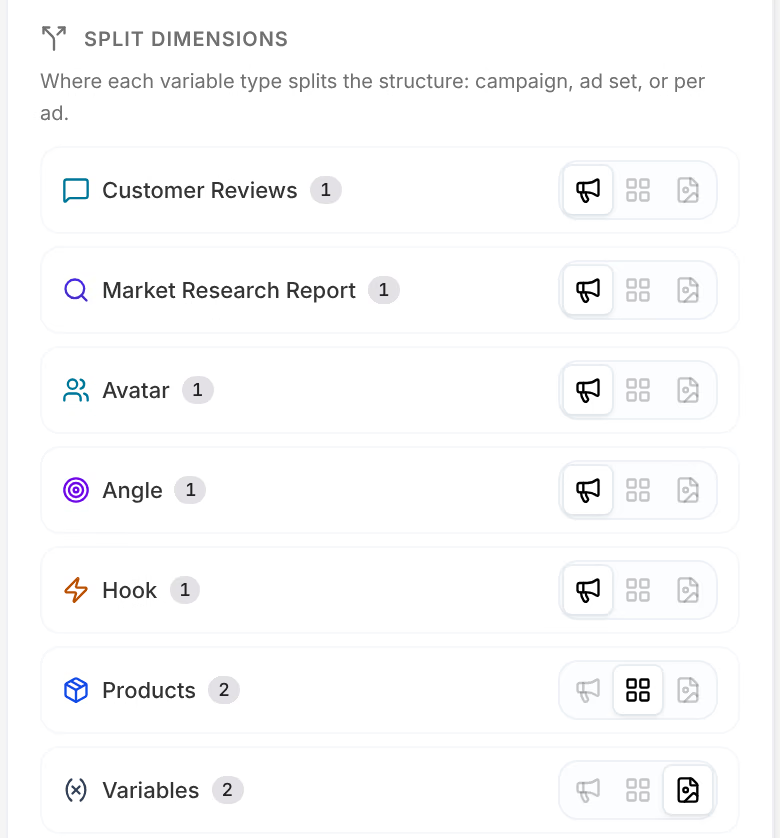
Under Presets, pick the layout closest to what you want to compare:
Name What it does Full hierarchy Products → campaigns · angles & avatars → ad sets. Campaign per product One campaign per product. Everything else varies per ad. Campaign per angle One campaign per angle. Everything else varies per ad. Campaign per avatar One campaign per avatar. Everything else varies per ad. One mega campaign Single campaign & ad set — all variables at ad level. Or, under Split dimensions, give each kind of piece its own level with the three buttons on its row: one campaign per value, one ad set per value, or a different value on each ad.
Check the plan
The columns behind the panel follow every change: Campaigns, Ad sets and Ads, each with the kinds of piece it splits by and how many it holds.
To test one piece cleanly, choose it under Isolate one variable: it varies from ad to ad, and everything else is held to one value per campaign, which is the kind of contrast Experiments can call. A kind of piece with one value has nothing to contrast, and cannot be isolated.
Past 50 ads, the toolbar says so, as in 64 ads — Meta recommends <50 per ad set for optimal learning. with your number, and its warning grows past 100 ads and past 250.
Name each level
Every column has its name template at its head, and every name the plan shows is the template with your pieces filled in. Meta shows these names in Ads Manager.
Click the template
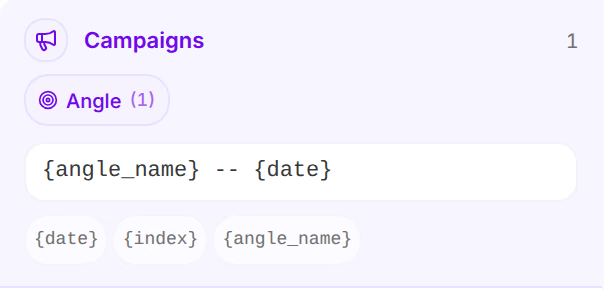
Click the template at the head of Campaigns. The placeholders it can use appear under it.
Write the name
Type the words you want, and click a placeholder to add it at the end, as in
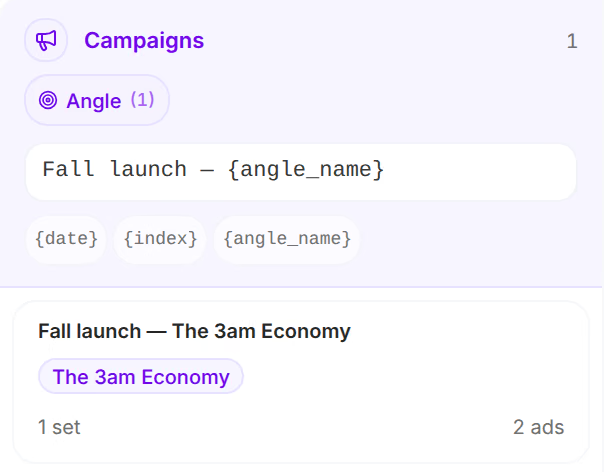
Fall launch — {angle_name}. The campaign cards show the result at once.Name the ad sets and the ads, if you like
Their templates work the same way, each with the placeholders of its own column.
The campaign reads Fall launch — The 3am Economy, with your words and your angle.
A template can use the placeholders of its own level and the levels above it:
| Placeholder | What it becomes | Where |
|---|---|---|
{date} | The day of the launch, as 2026-10-11 | Every level |
{index} | The entity's number, from 1 | Every level |
{campaign_name} | The campaign's name | Ad sets and ads |
{adset_name} | The ad set's name | Ads |
{creative_name}, {page_name} | The ad's creative and page | Ads |
{angle_name}, {avatar_name}, {hook_name}, {product_name} … | The value of a kind of piece | The level it splits at, and below |
A placeholder whose piece does not split at that level or above would reach Meta as written, so it holds the launch, as in Campaign name uses {hook_name} — not split at campaign level. An empty template holds it too. The ads are named {creative_name} x {page_name} unless you change it.
Add your own URL parameters
Open the Ads settings
Press Settings in the toolbar, then Ads.
Type your parameters
In URL parameters, type them as they would follow the
?of a link, as inutm_term=fall-launch. Every ad's link carries them.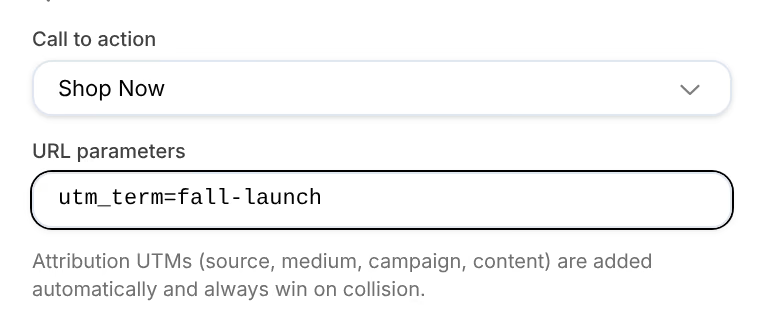
Omnymous adds its own attribution parameters to every link, and they win when a name collides: a utm_campaign you type is replaced. See Tag your ads.
Add to a campaign already on Meta
To create new ad sets inside a campaign already running on Meta, rest the pointer on its campaign card and press the link button at its top right, Use existing campaign, then pick the campaign: New ad sets are created inside the live campaign. An ad set card does the same with Use existing ad set: its ads join the live ad set, and its budget, targeting and schedule apply. A linked card reads the name of what it is linked to.
If something goes wrong
| What you see | What to do |
|---|---|
Campaign name uses {hook_name} — not split at campaign level | Take the placeholder out, or split that piece at the campaign level. |
| Fill in the campaign name template | The template is empty. Write one. |
| No compatible pairings in place of the plan | No page tells your creatives' story. See Pairing. |
| Could not load entities from the ad account. under Use existing campaign | Choose and save the ad account under Settings, Account, first. See Launch settings. |
Related
- Launch settingsEvery setting a launch takes: the Meta account and budget guardrail, the campaigns' objective and bidding, the ad sets' audience, the ads' call to action.
- Launch and recoverPress Launch, watch Meta create each ad, and know what to do when a launch is stopped, refused, or leaves ads failed or unconfirmed.
- ExperimentsExperiments finds the tests hidden in your launches, ads in one campaign that differ in one thing, and calls each one when the data can.