
Cards and models
What a card on a Studio board shows, and its editor: how many it makes, the model each of its stages runs on, its inputs, its settings and its direction.

Every card that makes something has the same parts, on the board and in its editor. Press a card to open its editor beside the board; Expand, at its top right, gives it the whole screen, with its settings and its results side by side.
What you can do here
- Build a boardStart a Studio board from a starter flow or from nothing, put cards on it from Add or your Library, wire them together, and let Auto layout keep it in order.
- Run a board and control its costRun one card, a card and what follows, a selection or the whole board; read what it should cost and set the most it may spend; then stop, finish or retry it.
- Images and videoThe Images and Videos cards' settings: formats, ratios, on-image text, start frames and length, what each model can do, and refining an image.
The card on the board
From the top: what it makes, as in Generate · Hook, and its name, which you can change with a double-click; its status; the inputs it takes, each with what is wired into it; how many it makes, with Fewer and More beside ×3; its results; and at its foot, the model it runs on with what a run should cost, and the button that runs it.
Status
| The card reads | It means |
|---|---|
| Not run | Ready, and nothing made yet. |
| Needs angle, or the name of another input | A required input has nothing wired into it. |
| Choose a model, Choose 3 models | A stage has no model yet. Nothing runs on a model you did not pick. |
| Choose a ratio | The model it renders on cannot make the ratio the card asks for. |
| 3/9 | Running: three of its nine results are done. |
| 6 | Done: the number of results it made. |
| 6 of 12 | Unfinished: a stop or a failure left some of its results unmade. |
| Outdated | Its inputs, its settings or what they carry changed since its last run. |
| Stopped, Failed | Its last run made nothing: it was stopped first, or every result failed. |
| $1.75 cap | Its last run stopped at its spending cap. |
| 2 products, or another clash | Its inputs stand on different products, offers, angles or casts. See When inputs disagree. |
The button at its foot
Run runs the card, and the cards before it that have nothing to give it yet. After a run it reads Run again, Re-run when the card is outdated, and Finish when a run left it unfinished: Finish makes only what is missing. While it runs, Stop stops this card alone. See Run a board and control its cost.
Setup
The editor opens on Setup, in this order.
Variations
How many results the card makes, and, once something is wired into its main input, how that count multiplies: 3 per angle — wire more to fan out, or 2 per overlay × 3 overlays = 6. Each kind of card has its own range: up to 10 for copy and strategy, 8 for images, 4 for videos and pages, 3 for research. See How many a card makes.
Models
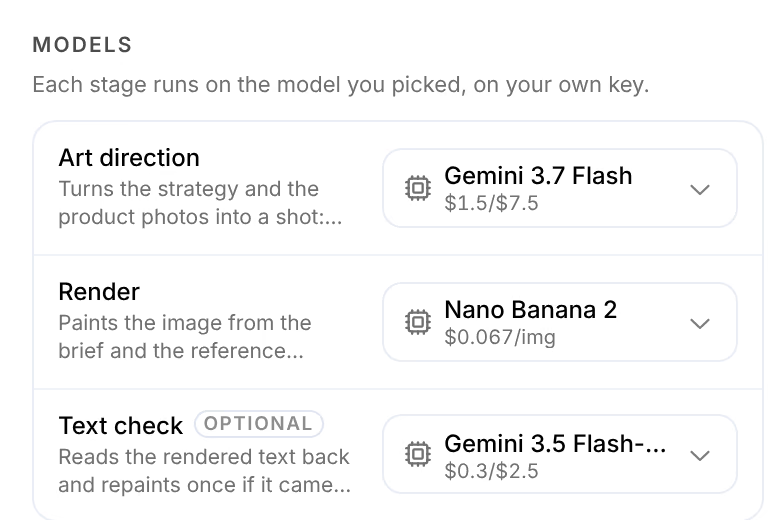
One picker for each stage of the card that calls a model. No model is picked for you: a new card reads One stage needs a model — nothing runs on one you didn’t pick., and once every stage has one, Each stage runs on the model you picked, on your own key.
| Card | Its stages |
|---|---|
| Copy, avatars, angles, actors, offers | Model, which writes every variation |
| Research | Research engine; Omnymous' own engine adds a Driver, the text model that plans the searches |
| Voice of customer | Driver, which writes the analysis, and Screening, which sorts the reviews first |
| Images | Art direction, Render and Text check, which reads the rendered text back and repaints once if it came out wrong |
| Videos | Script and Render |
| Pages | Copy, which fills the template, and Images, which paints its image slots |
Press a picker to choose. Models are grouped by provider, with their price and what they can do, such as Vision, Reasoning or Reference photos; a model with a limit says so, as in Won’t animate a photo of a person. A provider without a key reads Add a key. Text check is optional: Off skips it.
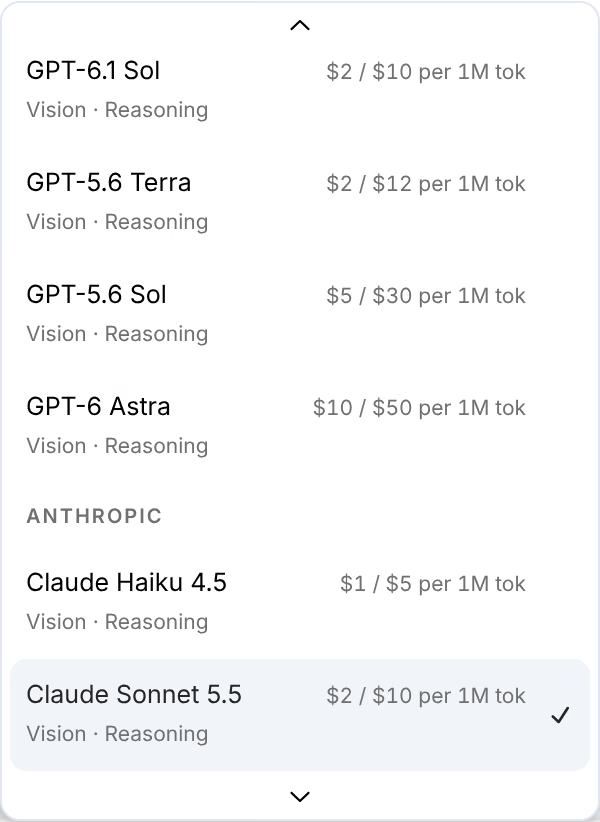
When the board holds other cards of the same kind, Use for all hooks (or images, or videos) gives them this card's picks.
Inputs
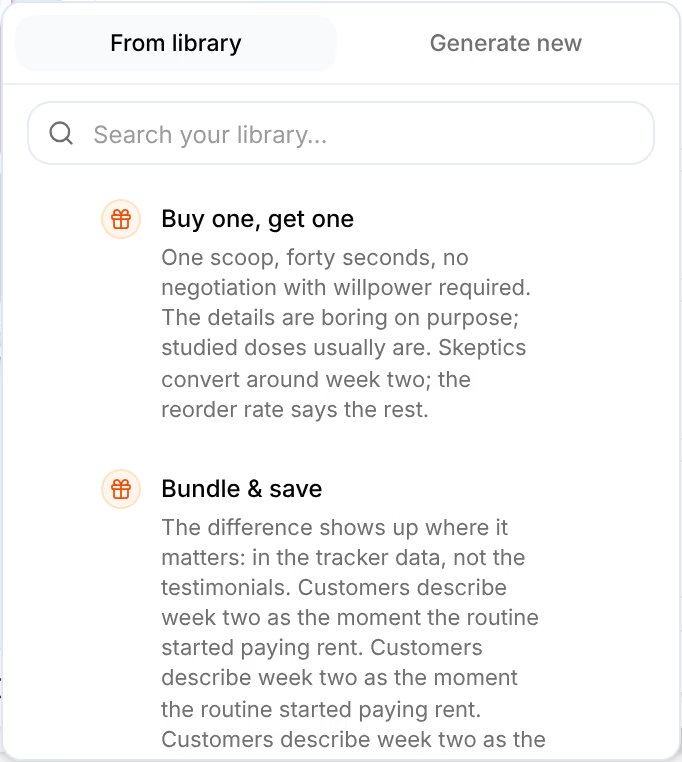
Each input the card takes, with what it is for. Required marks the ones it cannot run without, and · one the ones that take a single item. Add beside an input offers From library or Generate new; the item lands on the board as a card of its own, wired in.
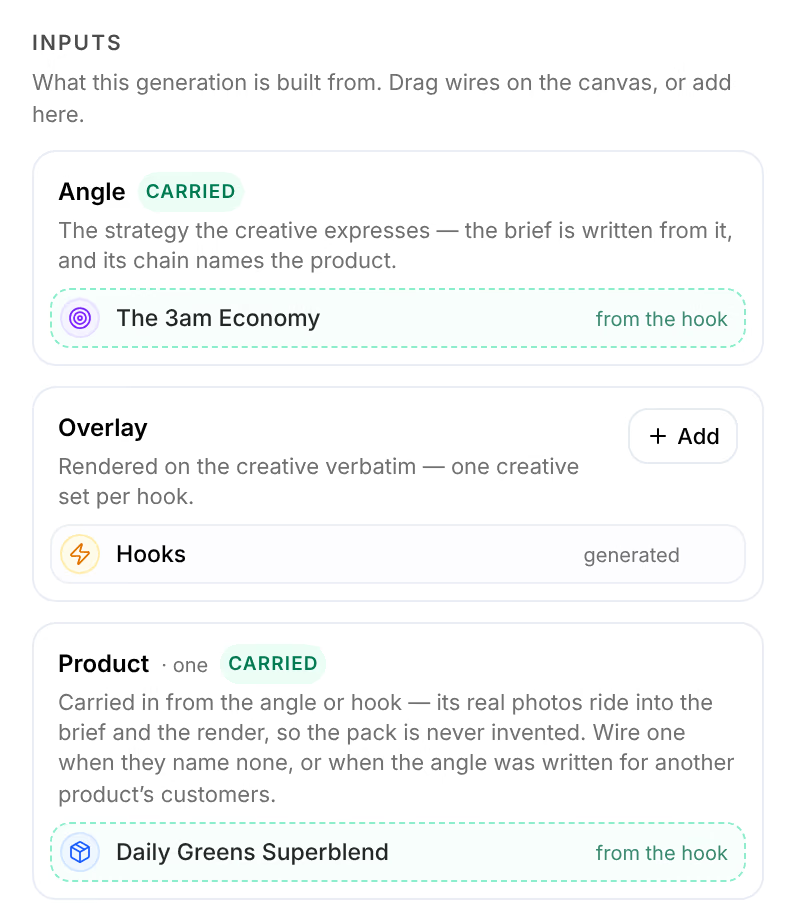
An input filled through another input reads Carried, with where it came from, such as from the hook. An item already on the board that fits an input is offered beside it, with Use.
Context
Everything the results stand on, carried in by the inputs all the way back: the angle, the avatar, the research and the product. Wire an input yourself to choose one of them explicitly. See Wires and context.
Direct
For a card that makes more than one result, the tabs choose what the settings below it apply to: All 6 for every variation, or one variation by its number. A variation with settings of its own reads directed on its own, and Reset gives it back the card's.
Settings and creative direction
The settings of the kind of item the card makes, such as a hook's Hook Type or an image's Format. A field left on Auto — AI decides is the model's call; a field you fill is enforced on every variation. Creative direction is free text that applies to every variation; a brief wired into the card rides ahead of it.
The editor's foot
How many the card makes and what they should cost, as in 6 images · ≈$0.86, with the reason when it cannot run, such as Choose a model for every stage to run. From here runs the card and every card after it; Run runs the card.
Results
Results, beside Setup, holds what the take on the card made. A kept result is what the cards after it are built from: press a result's tick to drop it, or Keep all and Drop all for the whole take. Takes lists every run of the card, newest first, with what it kept and cost; the one marked is the take the board uses.
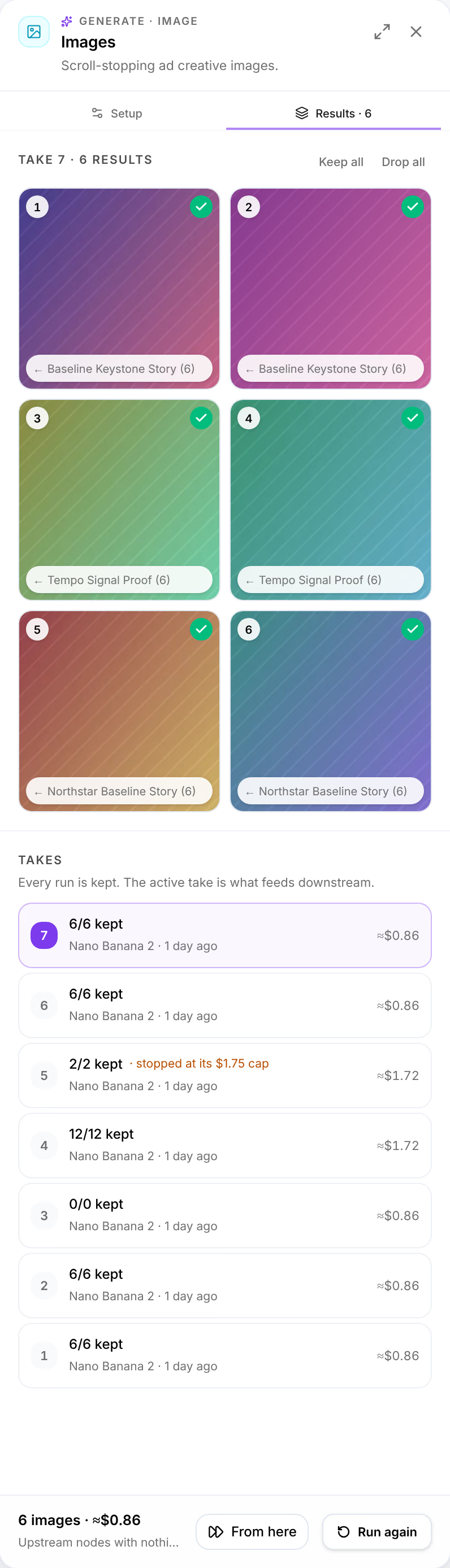
Press a result to open it: what it was made from, its settings, its own direction, and, for an image, Refine, which edits it on a model you choose. See Images and video.