
Run a board and control its cost
Run one card, a card and what follows, a selection or the whole board; read what it should cost and set the most it may spend; then stop, finish or retry it.

A run makes the results of the cards you choose, on Omnymous' servers, billed by your AI providers to your own keys. Before a run of any size, Omnymous shows what it will make, on which models, what it should cost and the most it may spend, and nothing starts until you press Run.
Before you start
- You are an owner, an admin or a member of the workspace.
- Every stage of the cards to run has a model. See Cards and models.
- A key for each of those models' providers. See Add your AI keys.
Run it
| Name | What it does |
|---|---|
| Run on a card | Runs that card. A card before it that has nothing to give it yet runs first. |
| From here | In a card's editor, or Run from here in its right-click menu: the card and every card after it. |
| Run on a selection | Select cards by dragging a box around them on the empty board, or with Shift and a click, then press Run in the bar above them, or Enter. |
| Run all | At the top right: every card that has not run yet, or whose inputs or settings changed since it last did. When none has, it reads Up to date. |
A run of one card estimated under $1, other than a video or research, starts at once, and a message says what is running, such as Running 1 node · 3 items. Any other run opens the confirmation first.
Read the confirmation and run
Check what will run
The cards in the order they run, each with how many it makes, its model, and what it should cost. A card that runs only because a later one needs it is marked upstream.
Read the total
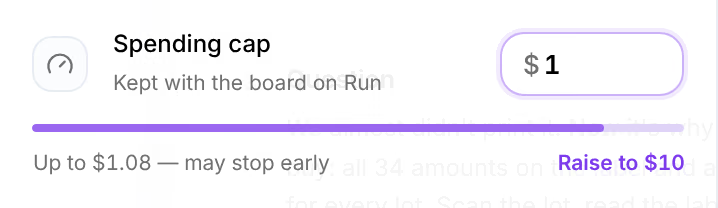
At its foot, the estimate, such as ≈ $0.88. When reasoning models are in the run, up to $1.08 beside it is the most it can bill if every one of them thinks for as long as it may, and the line under it reads Up to, with full thinking.
Set the spending cap
The most this run may spend. It opens at This board’s cap, or, for a board that never ran, at a cap Suggested from the estimate, with room for everything it can bill. Type another amount to change it; the board keeps it for its next runs. The line under the field says how much of it the run fills, as in Up to $1.08 fills 11% · $8.92 to spare.
Press Run
Or press Enter. The run bar, top right, counts the results as they land, as in Running · 3/9, and the cards fill in.
Check that it worked
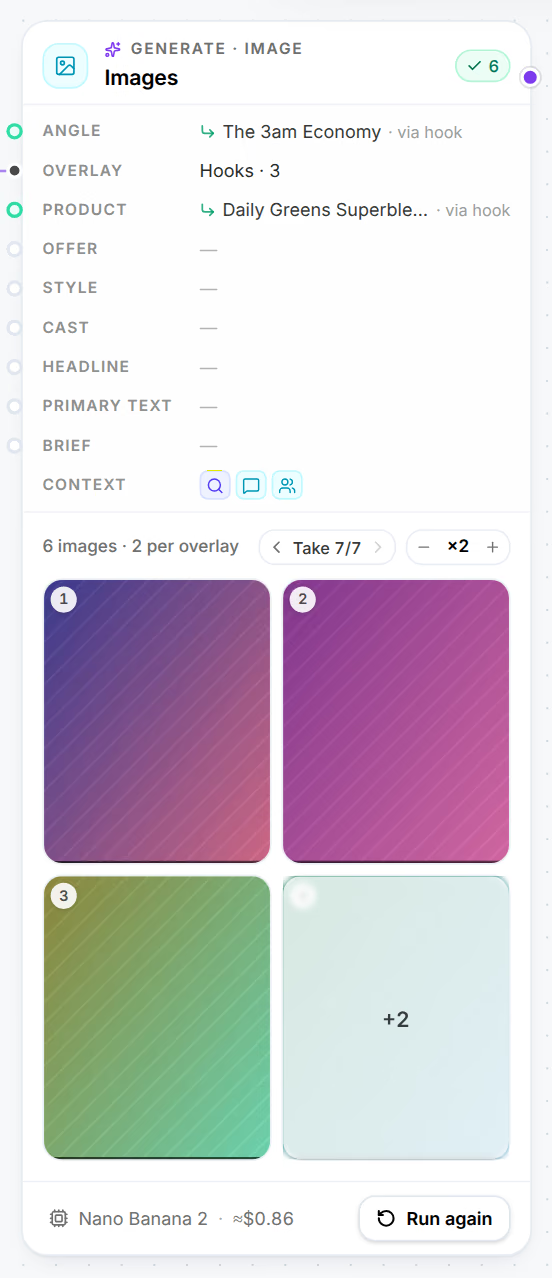
Each card shows what it made, and the run bar reads Up to date. A message says how the run ended, such as Run all finished, and the bell keeps a notice with a link to the run. What it really cost is in the Runs view.
When the cap is too low
| The line under the cap | What it means |
|---|---|
| Up to $1.08 — may stop early | The run can start, but models thinking at length can bring it to the cap before its last results. Raise to sets the cap that leaves room for them. |
| … short of the ≈ … estimate | The run cannot start: Run waits until the cap is raised. |
| … short of the … one result may bill | The cap is over the estimate, but a single result needs more room to start. Run waits. |
| A run spends at most $250 | Use $250, or less. |
| … is over the $250 a run may spend — run fewer nodes at a time | No cap can hold this run. Run part of the board. |
A run that reaches its cap stops there, and says so: Stopped at its $1.75 spending cap.
Stop a run
Press Stop in the run bar. A message says Stopping the run: nothing new starts, and what is already running finishes, and is billed by your provider. Stop on a card stops that card alone; the cards after it go on with what it already made.
Finish or retry what a run left
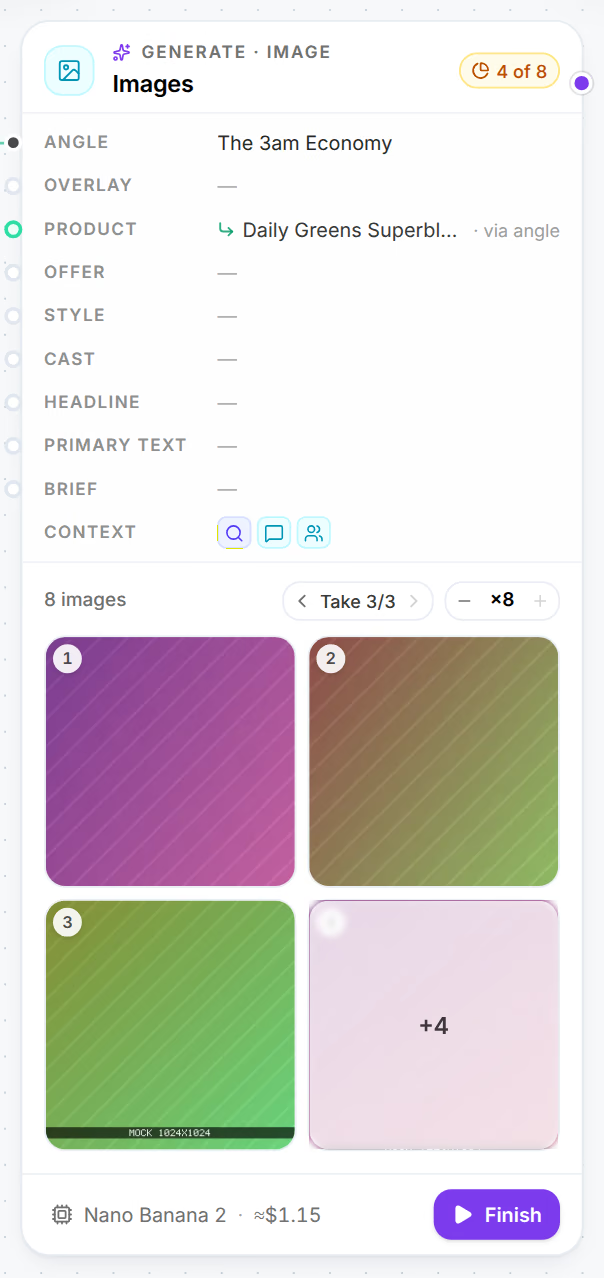
A stop, the cap or a failure can leave results unmade. The card then reads how many it made, as in 4 of 8, and its button reads Finish, which makes what is missing in the same take, on the run that made the rest. When nothing else on the board waits to run, the run bar offers it too, as in 1 node unfinished · 4 not made.
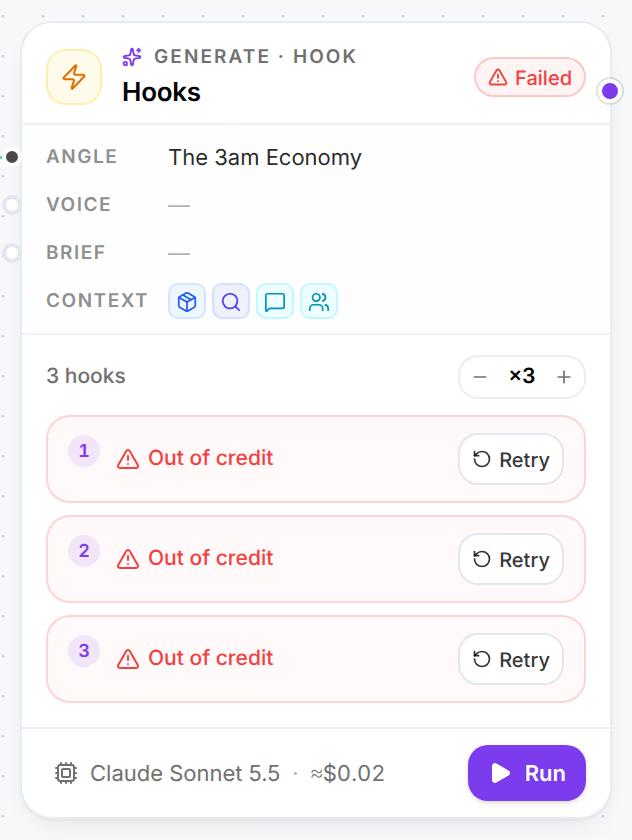
Each unmade result shows why, with Retry, which makes that one result again. A retry runs on the models its run started with, and under the same cap: past it, the message says Finishing it could pass this run’s … spending cap; run the card again with a higher cap instead.
What a run costs
Each call is billed by its provider to your own key. Omnymous records what each one cost: text by the tokens it read and wrote, an image by what the provider reports for its render, a video by its seconds. The estimate uses each model's listed price. Every item a run makes lists its stages, models and cost in its panel in the Library, and each AI edit made to it since on a row of its own; edits count toward the item, not toward its run's total or cap. See How it was made.
Limits
- A spending cap of $10 until you set another, up to $250 a run.
- At most 40 cards and 400 results in one run.
- A workspace starts at most 50 runs, retries, finishes and AI edits an hour, all together.
If something goes wrong
| What you see | What to do |
|---|---|
| Choose the models first | A stage has no model. Pick one on each card the message names. |
| A provider key is missing or A provider rejected its key | Press AI keys in the message. See Usage and AI keys. |
| Over this run’s spending cap | Raise the cap in the confirmation, and run again. |
| This run is too large | Run part of the board at a time. |
| Your workspace has started its 50 runs for this hour. | The message says when you can start again. Runs already going are not affected. |
| Generation is paused | Omnymous is under maintenance. Try again in a few minutes. |
| A result marked Out of credit | Top up your account with the provider, then Retry. |
| Key rejected with Fix key, or No key with Add key | Fix the key in Settings, then Retry. |
| Refused | The provider refused the request on content grounds. Change the card's direction, then run it again. |
| Cut off or Didn’t fit | The model's answer could not be used. Retry, or pick another model and run the card again. |
| No image | The model returned no image. Retry, or pick another model. |
Rest the pointer on a reason for the whole sentence, and the provider's own words. See also My generation won’t run or failed.
Related
- RunsThe Runs view lists every run of your store with what it made, what it cost, how long it took and who started it, and opens any run in full.
- AI keys and usageReplace, check or remove the provider keys your workspace generates with, and read what they spent this month, by model and by type.
- The item panelEvery Library item opens in the same panel, which says what the item is, how it performs, what you can do with it, how it was made and what it is made of.