
Images and video
The Images and Videos cards' settings: formats, ratios, on-image text, start frames and length, what each model can do, and refining an image.
An Images card makes ad creatives, and a Videos card makes ad videos, most often from those creatives. Both are built from the strategy wired into them, and both show your real product: its photos from Shopify reach the art direction and the render, so the pack is never invented.
What you can do here
- Build a boardStart a Studio board from a starter flow or from nothing, put cards on it from Add or your Library, wire them together, and let Auto layout keep it in order.
- Cards and modelsWhat a card on a Studio board shows, and its editor: how many it makes, the model each of its stages runs on, its inputs, its settings and its direction.
- Run a board and control its costRun one card, a card and what follows, a selection or the whole board; read what it should cost and set the most it may spend; then stop, finish or retry it.
Images
An Images card runs three stages, each on the model you pick: Art direction turns the strategy and the product photos into a shot, Render paints it, and Text check, which you can turn off, reads the text on the creative back and repaints once if it came out wrong.
Format
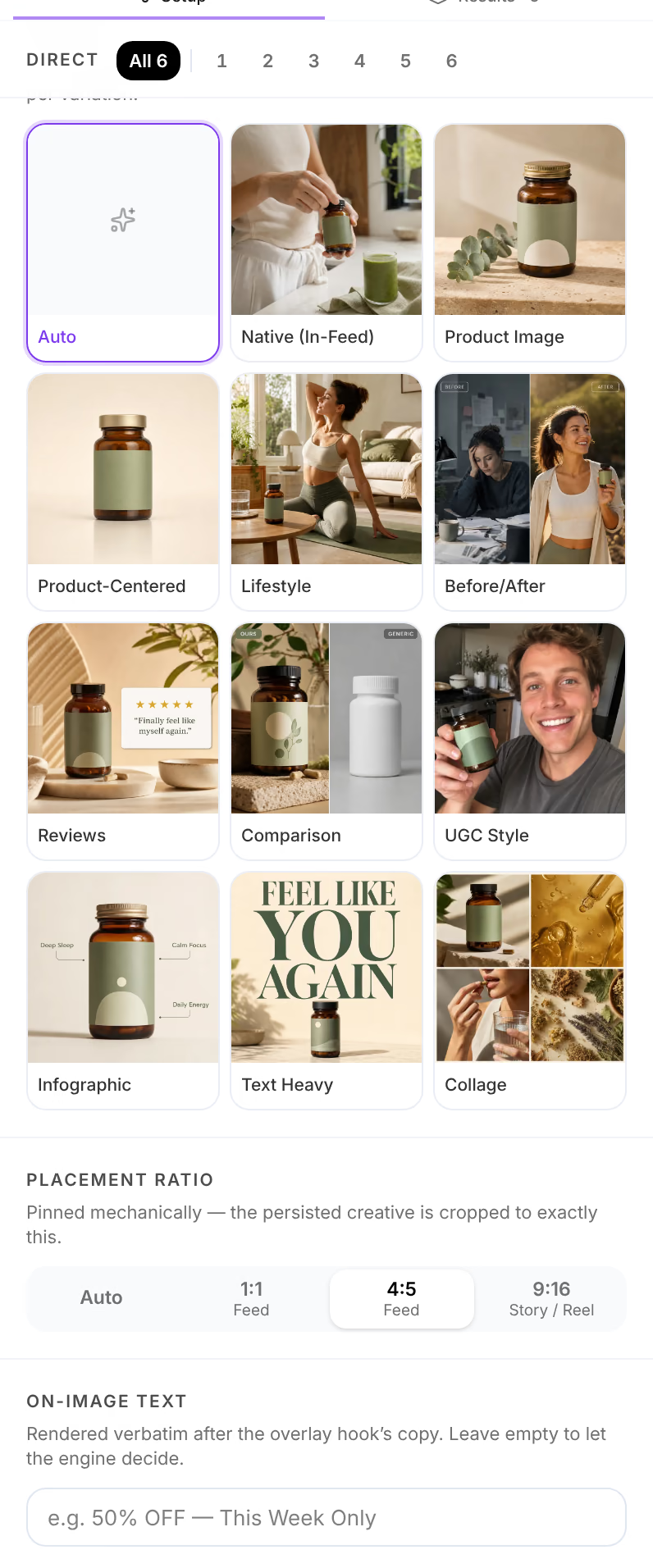
The composition the brief must follow. Auto lets the model choose for each variation.
| Format | The creative |
|---|---|
| Native (In-Feed) | Reads as organic content in the feed, not as an ad. |
| Product Image | A hero shot: the product is the composition. |
| Product-Centered | Symmetric and minimal, the product dead center. |
| Lifestyle | The product inside the customer's real moment. |
| Before/After | A split frame: the pain, then the outcome. |
| Reviews | Social proof: a star rating and verbatim quotes. |
| Comparison | Yours, vivid, against the generic alternative. |
| UGC Style | Handheld phone-camera energy, no polish. |
| Infographic | Short benefit callouts around the product. |
| Text Heavy | The headline is the visual. |
| Collage | Several cells: hero, close-up, in use. |
Placement ratio
1:1 Feed, 4:5 Feed or 9:16 Story / Reel. The creative is cropped to exactly the ratio you choose; Auto leaves it to the model.
The text on the creative
A hook wired into the card's Overlay is printed on the creative word for word, one set of creatives for each hook. A hook too long to print is cut to a short line first, which you can change in the result's editor. On-image text adds your own words after it, also verbatim, such as an offer; left empty, the model decides whether to print anything.
Style, cast and offer
A creative wired into Style sets the look the whole set follows. An actor wired into Cast is the same person, from the same reference images, in every variation. An offer wired into Offer is what the creatives promote, and each creative records it.
Videos
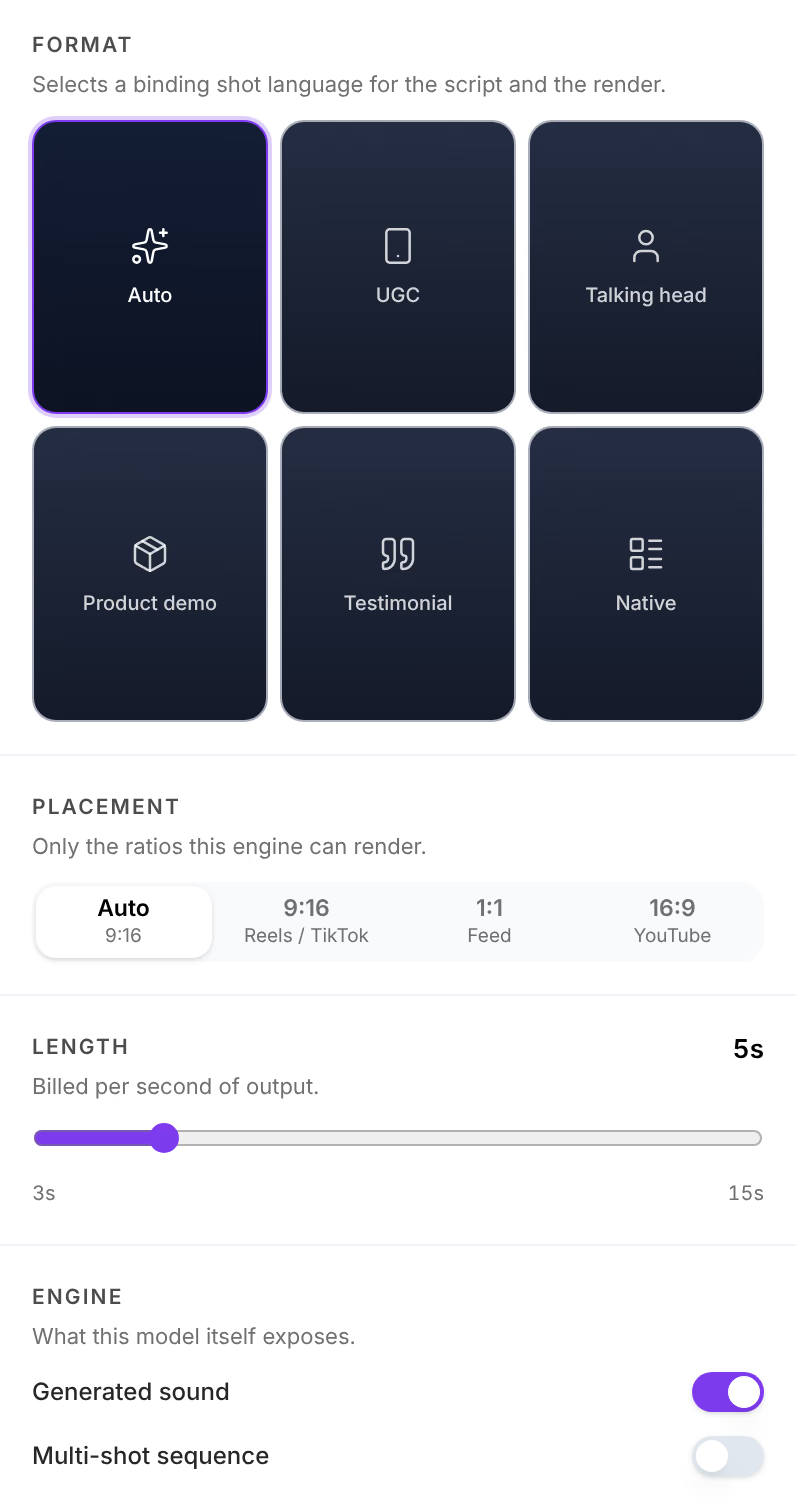
A Videos card runs two stages: Script writes the shot list, from a two-second hook to the call to action, and Render animates it.
| Name | What it does |
|---|---|
| Start frame | The creative the video animates from: one set of videos for each frame. Its cast, hook, product, offer and ad copy carry over into the video. |
| Verbal hook | The line spoken in the opening seconds. Carried from the start frame's hook unless you wire one in. |
| Format | UGC, Talking head, Product demo, Testimonial or Native: the shot language of the script and the render. Auto lets the model choose. |
| Placement | Only the ratios the render model can make: changing the model changes the list. |
| Length | How long the video is, within what the render model makes, such as 3 to 15 seconds. Video is billed by the second. |
| Engine | What the render model itself offers, such as Generated sound or Multi-shot sequence. |
| On-screen text | Burned in word for word, after the verbal hook lands. |
Some models fit a start frame of another shape into the video's with bars around it: make your start frames at the ratio the video will be.
What each model can and cannot do
Each picker offers only the models that can do its stage. A model's line says what it reads, such as Reference photos, and what it will not do:
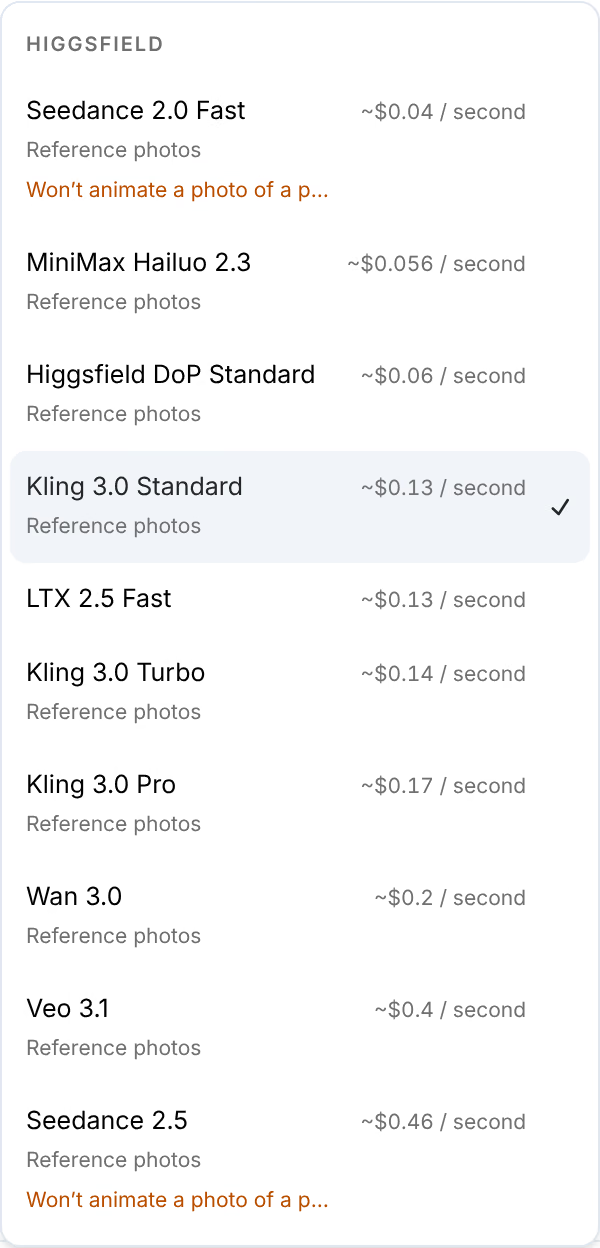
- A video model that Won’t animate a photo of a person refuses a start frame that shows one.
- A model that cannot make the ratio a card asks for turns the card to Choose a ratio, and its editor says what the model makes instead.
- An image model that returns no image fails that result with No image: retry it, or pick another model.
Refine an image
Open a finished image from its card to change it without running the card again. Under Refine, describe the change, or press a suggestion such as Swap the background, and choose the model the edit runs on. Preview edit shows the result beside the creative; nothing replaces it until you press Apply, or Discard to drop it, and every version stays restorable below. The edit is billed to your own key, and listed on the creative's receipt as an Image edit. See How it was made.